Claude Code operates within a 200k token context window (expandable to 1M tokens on certain plans). Everything Claude needs to function — system prompt, tools, MCP servers, agents, auto memory files, skills, and your conversation — competes for that space. The /context command breaks down exactly how many tokens each component consumes, giving you full visibility into a resource that drains silently.
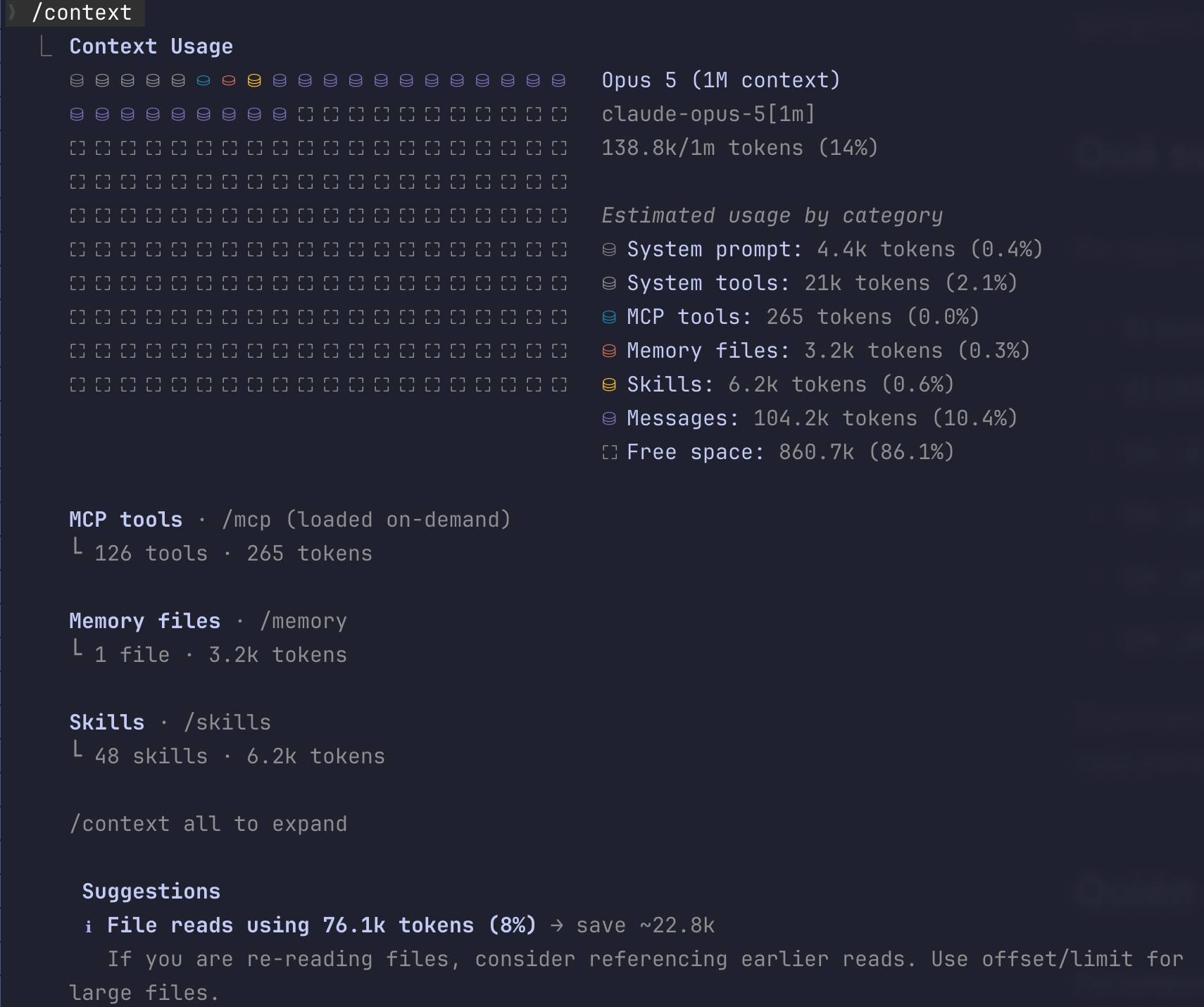
It's easy to overlook at first. You start adding MCP servers, custom agents, rules... and before you know it, a significant chunk of the context window is already pre-consumed before you type your first message. /context keeps you aware.
Result, in a session running the 1M window:
/context

Context Usage
Opus 5 (1M context)
claude-opus-5[1m]
138.8k/1m tokens (14%)

Estimated usage by category
  System prompt:    4.4k tokens  (0.4%)
  System tools:      21k tokens  (2.1%)
  MCP tools:         265 tokens  (0.0%)
  Memory files:     3.2k tokens  (0.3%)
  Skills:           6.2k tokens  (0.6%)
  Messages:       104.2k tokens (10.4%)
  Free space:      860.7k       (86.1%)

MCP tools · /mcp (loaded on-demand)
└ 126 tools · 265 tokens

Memory files · /memory
└ 1 file · 3.2k tokens

Skills · /skills
└ 48 skills · 6.2k tokens

/context all to expand

 Suggestions
 ℹ File reads using 76.1k tokens (8%) → save ~22.8k
   If you are re-reading files, consider referencing earlier reads.
   Use offset/limit for large files.
Setup
No setup needed. The command is available in any session.
1. Run the command
Type /context at any point during your session:
/context
Run /context all to expand the full breakdown: every MCP tool, every skill and every memory file with its individual cost.
2. Analyze the breakdown
The output shows consumption per category. Pay close attention to:
- MCP tools: check the detail line under the breakdown. If it reads
(loaded on-demand), those tool schemas sit outside your window and only load when they are needed. In the capture that is 126 tools for 265 tokens. - System tools: built-in tools load on every request and do not depend on your configuration.
- Free space: your actual working space. This is what's left for messages, file reads, and command outputs.
- Autocompact buffer: the reserve Claude sets aside for automatic compaction. It shows up as its own row when your session has autocompact enabled.
3. Act on what you see
The command closes with a Suggestions block pointing at where the avoidable spend is and how many tokens you would get back. In the capture: 76.1k tokens spent on file reads, roughly 22.8k recoverable if you stop re-reading the same thing.
If MCP tools consume too much, run /mcp to see per-server costs and disable those you don't need in this session. With Tool Search enabled (the current default), that category should already be a fraction of what it was: names and instructions only, with schemas deferred. If free space drops below 30%, consider using /compact or starting a fresh session.
If the row that stands out is Skills, this screen only gives you the total. The skill-by-skill split, with the ones you have never invoked flagged, comes from /skill-doctor, and if that total looks high, the folder each skill lives in decides whether it counts at all.
Reference
| Category | What it includes |
|---|---|
| System prompt | Claude Code's internal instructions |
| System tools | Built-in tools (Read, Edit, Bash, Grep, Glob, etc.) |
| MCP tools | Tool definitions from connected MCP servers |
| Custom agents | Custom agents defined in .claude/agents/ |
| Memory files | CLAUDE.md and auto memory files |
| Skills | Descriptions of registered skills |
| Messages | Your conversation: prompts, responses, and tool results |
| Free space | Tokens available to keep working |
| Autocompact buffer | Reserve for automatic compaction |
| Suggestions | Avoidable spend it detected, with the tokens you would recover |
Related: When each feature loads into context · The unused plugins costing you context · Why Claude gets worse in long sessions
Official docs: The context window
Part of the 10 habits to save tokens in Claude Code.