MCP (Model Context Protocol) is not a plugin. Not a skill. Not an API. It's a protocol — an open standard that defines how an AI agent communicates with external tools. Think USB, but for connecting Claude to your services: Notion, GitHub, Sentry, databases, whatever you need.
TL;DR
claude mcp add+ URL or local command. That's all it takes to connect Claude to any service.
The key distinction: a skill is a prompt you give Claude. An API is something you consume from your code. MCP is something Claude consumes directly — it gives Claude new tools it can use without you writing any code.
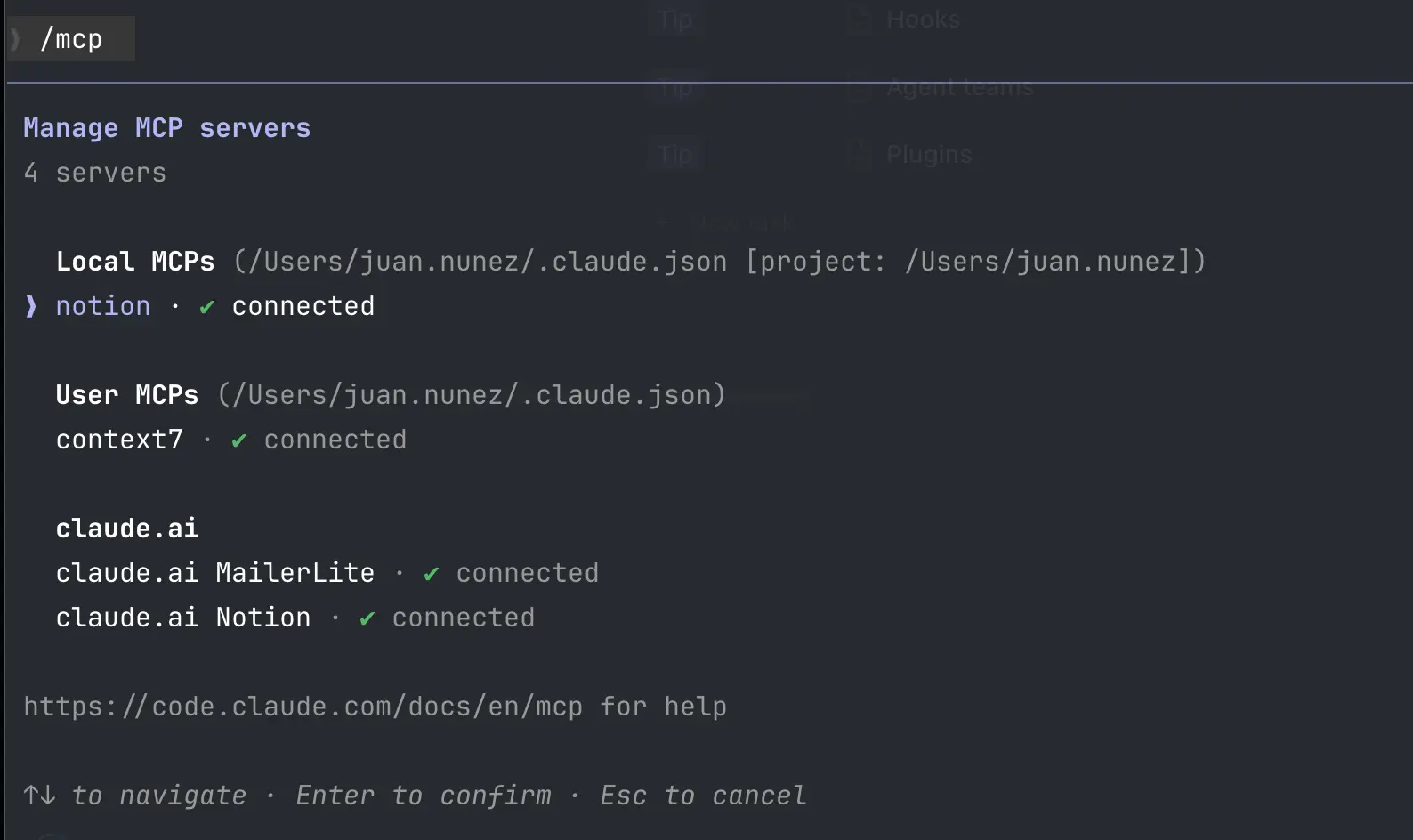
Result:
> /mcp

  MCP Servers:
  ● notion (http, connected)
  ● db (stdio, connected)
The two types of servers
1. Remote (HTTP) — cloud services
An HTTP server lives on the internet. Someone else maintains it, you just connect:
# Notion
claude mcp add --transport http notion https://mcp.notion.com/mcp

# GitHub
claude mcp add --transport http github https://api.githubcopilot.com/mcp/
Some require OAuth authentication. After adding, run /mcp inside Claude Code and follow the browser flow. Interrupted mid-session? Authenticate it from the terminal and it won't happen again.
2. Local (stdio) — processes on your machine
A stdio server is a process running locally. Ideal for databases, system tools, or custom scripts:
# PostgreSQL
claude mcp add --transport stdio db -- npx -y @bytebase/dbhub \
  --dsn "postgresql://user:pass@localhost:5432/mydb"

# Custom server
claude mcp add --transport stdio my-tool -- node ./my-mcp-server.js
Quick reference
| Command | What it does |
|---|---|
claude mcp add |
Add a server |
claude mcp list |
List configured servers |
claude mcp remove <name> |
Remove a server |
/mcp |
Status and authentication (inside Claude Code) |
| Scope | Where it's stored | Use case |
|---|---|---|
--scope local |
~/.claude.json (default) |
Just you, just this project |
--scope project |
.mcp.json at project root |
Shared with team (goes to git) |
--scope user |
~/.claude.json |
Just you, all your projects |
With the setup out of the way, the next question is which ones to install: see the five MCP servers that genuinely earn the slot — more connectors is not a better agent. And if you mix up what goes in .mcp.json, what in ~/.claude.json, and what in settings.json, here's which file each thing goes in. And if the server you need doesn't exist yet? Have Claude build it from your use case. And when one takes too long to answer, it no longer holds your session: at the two-minute mark the call moves to the background.
Official docs: Connect Claude Code to tools via MCP