TL;DR
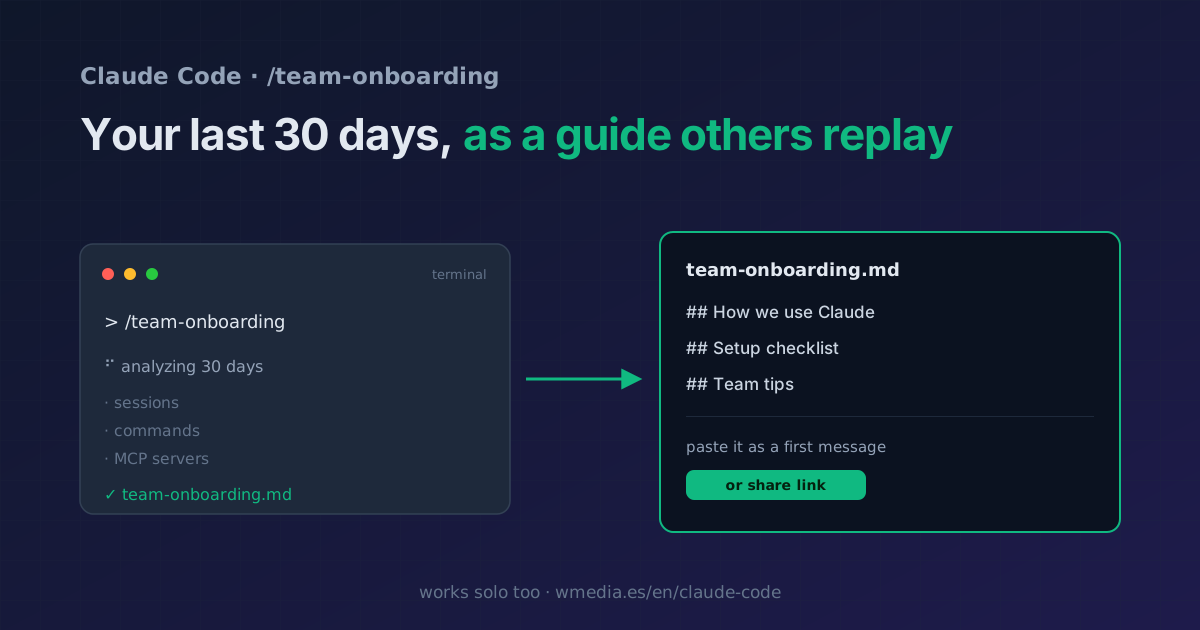
/team-onboardinglooks at your sessions, commands, and MCP servers from the last 30 days and writes a markdown guide a teammate pastes as a first message to get up to speed in minutes. On a subscription (Pro, Max, Team, or Enterprise) it also returns a share link to open it straight in Claude Code. The move almost nobody makes: run it solo, to document your environment or set up your future self on a new machine.
You spot it in the command list, think "that's for big teams", and scroll past. Mistake. /team-onboarding doesn't need you to have a team: it's the fastest way to turn how you work into a document someone else (or you, six months from now) can replicate.
What it does
It analyzes your usage history from the last 30 days (sessions, commands, and MCP servers), reads your CLAUDE.md, and generates a markdown guide: how Claude is used in your project, a setup checklist, and slots for your own tips. The guide is meant to be pasted as a first message in a session, so Claude starts out already knowing how you work.
> /team-onboarding

⠋ Analyzing 30 days of usage: sessions, commands, and MCP…
✓ Guide written → team-onboarding.md

  How we use Claude · Setup checklist · Team tips
  Paste it as a first message, or share the link.
How to get value from it
1. The obvious use: a new teammate. You run it (you already have the context), edit the guide to cut noise and keep what matters, and hand over the file. Your teammate pastes it as a first message and Claude takes it from there, with your setup as the starting point instead of a blank page.
2. The use almost nobody sees: you, solo. No team required:
- Document your environment without hand-writing a README: which commands and MCP servers you actually use, based on your last 30 days.
- Onboard your future self when you set up Claude Code on a new machine (which files are worth carrying over, and which aren't, is covered here).
- Hand it to an occasional collaborator or freelancer so they work the way you do from minute one.
Even if you never share the guide, reading it is a free audit of how you work: it shows what you actually lean on.
The share link (subscription only)
If you sign in with a claude.ai account (Pro, Max, Team, or Enterprise), on top of the markdown it returns a link your teammate opens directly in Claude Code, no file passing around. With an API key or cloud credential you get the markdown, which is the essential part.
Reference
| Detail | |
|---|---|
| What it analyzes | Sessions, commands, and MCP from the last 30 days |
| What it generates | A markdown guide (paste it as a first message) |
| Share link | Only with a claude.ai subscription (Pro/Max/Team/Enterprise) |
| Solo use | Document your environment or your future self on another machine |
| Recommended | Edit it before handing it over: cut noise, keep the useful part |
Where it fits
- It's one more of the commands you might not know; this one scans your usage for you.
- The guide complements your
CLAUDE.md: theCLAUDE.mdis the rules; this is how you actually use them day to day.
Official docs: Commands
Requirements
- The share link requires signing in with a claude.ai subscription (Pro, Max, Team, or Enterprise). The markdown guide is generated either way.