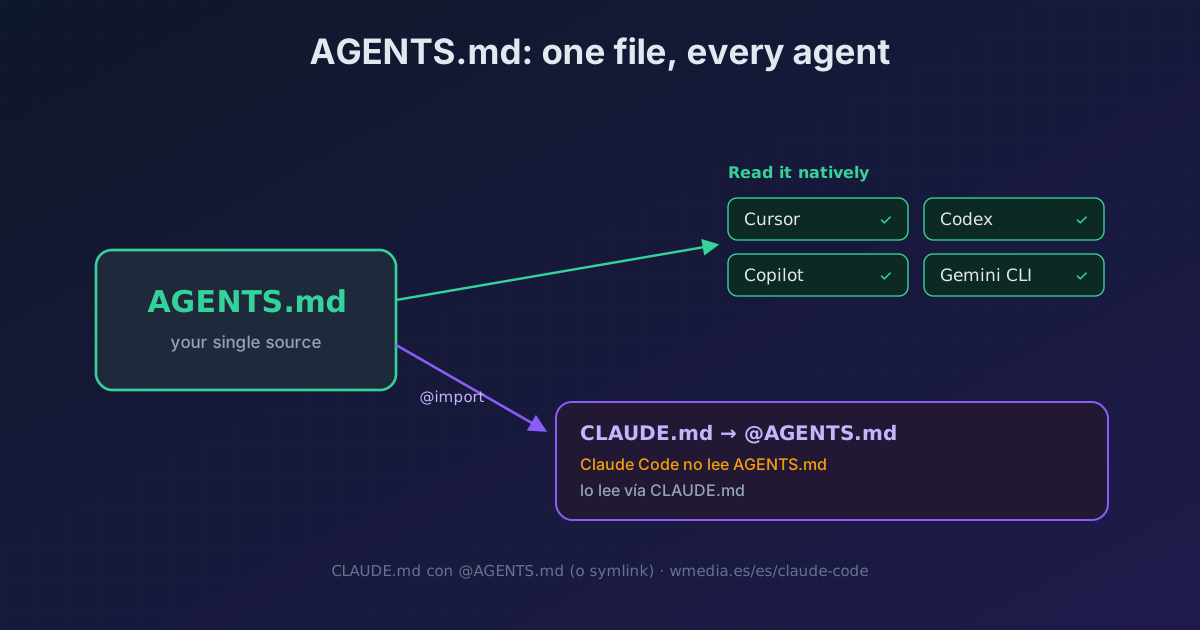
TL;DR Claude Code doesn't read
AGENTS.md, onlyCLAUDE.md. Create aCLAUDE.mdwith@AGENTS.mdon the first line (it imports your AGENTS.md, and you add Claude-only rules below) or, if you don't need anything Claude-specific, a symlink:ln -s AGENTS.md CLAUDE.md. On Windows use the@import, since symlinks need administrator rights. One file, every agent.
AGENTS.md has become the standard for briefing an AI agent: Cursor, Codex, Copilot, Gemini CLI and several others read it natively. Claude Code is the exception. It reads CLAUDE.md, and only CLAUDE.md. If your repo already has an AGENTS.md, Claude Code ignores it.
The docs say so flatly: "Claude Code reads CLAUDE.md, not AGENTS.md." So the bad option is keeping two near-identical files and syncing them by hand. The good one: have your CLAUDE.md import AGENTS.md, and you maintain a single file.
# CLAUDE.md
@AGENTS.md

## Claude Code
Use plan mode for changes under src/billing/.
Claude loads the imported AGENTS.md at session start, then appends whatever you put below it. Your team edits AGENTS.md for every tool; you reserve the Claude-only bits for Claude.
The three ways
1. @AGENTS.md import (recommended)
Put @AGENTS.md on the first line of your CLAUDE.md. The @path syntax imports any file into context at launch; it takes relative and absolute paths, is recursive (up to 4 hops), and, crucially, works on Windows. The first time Claude encounters external imports it shows an approval dialog listing the files; accept it once and it won't ask again. This route lets you add Claude-only rules below the import.
2. Symlink (minimal)
If you don't need anything Claude-specific, link one file to the other:
ln -s AGENTS.md CLAUDE.md
A single file on disk, two names. On Windows creating a symlink requires administrator rights or Developer Mode, so stick with the @import there.
3. /init if you're starting fresh
If your repo already has AGENTS.md (or .cursorrules, .devin/rules/, .windsurfrules), run /init and Claude reads them and folds the relevant parts into the CLAUDE.md it generates. It's the way to migrate without copy-pasting by hand.
Reference
| Detail | Value |
|---|---|
| What Claude Code reads | CLAUDE.md and .claude/CLAUDE.md, never AGENTS.md directly |
| Import syntax | @path (relative or absolute) |
| Recursive | Yes, up to 4 hops |
| Windows | @import yes; symlink needs admin / Developer Mode |
| First external import | One-time approval dialog |
/init with AGENTS.md present |
Reads and folds it in (also .cursorrules, .devin/rules/, .windsurfrules) |
Where it fits
- What actually belongs inside that file (and what doesn't) is in your CLAUDE.md is full of junk. The
@AGENTS.mdis just the first line. - Does the combined file grow too big? Move the scope-specific rules out to conditional rules in
.claude/rules/: they load only when Claude touches matching files.
Official docs: How Claude remembers your project · AGENTS.md
Requirements
- For the symlink on Windows: administrator rights or Developer Mode (or use the
@import, no requirements).