TL;DR
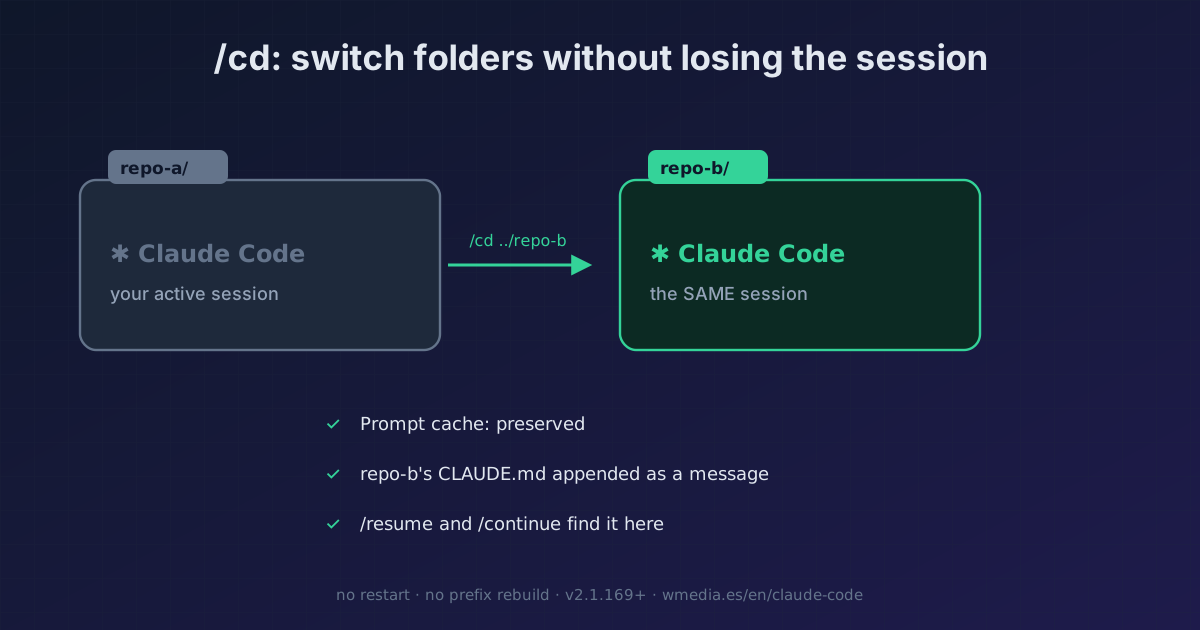
/cd <path>moves your session to a different folder without restarting: the prompt cache is preserved (the new folder'sCLAUDE.mdis appended as a message instead of rewriting the system prompt), and the session relocates to the new folder's storage, so--resumeand--continuefind it there. If you just want to give access to another folder without moving the session, use/add-dir. Requires v2.1.169+.
Switching repos mid-session used to be a pain: you'd quit, relaunch claude in the other folder, and lose the whole conversation. And cd in bash doesn't cut it, the session snaps back to its root: it won't pick up the new folder's CLAUDE.md or update the paths for Glob, Grep, and Bash. Since v2.1.169 there's a command for this: /cd.
The good part isn't just that it moves. It's that it moves without rebuilding the prompt cache: instead of rewriting the system prompt with the new folder's context, it appends that folder's CLAUDE.md as one more message. Your next turn doesn't reprocess the whole conversation at full price.
> /cd ../api-service

Trust ../api-service? (first time here)  [y/n] y
Session moved to ~/work/api-service
  · api-service's CLAUDE.md added to context
  · Glob, Grep, and Bash now work here
  · /resume and /continue find it from this folder
What it does, point by point
1. Moves the session and keeps the cache
The destination folder's CLAUDE.md is appended as a message instead of rewriting the system prompt, which is exactly what would break the prompt cache. That's why /cd doesn't cost you on the next turn.
2. The session relocates to the new folder's storage
It moves to the destination folder's project storage, so --resume and --continue find it from there, not from where you started.
3. It asks for trust if the folder is new
If you've never worked in that folder, /cd prompts you to approve it before moving. The same trust gate as the rest of Claude Code.
4. /cd (move) vs /add-dir (just grant access)
They're not the same. /cd moves the entire session to the new folder. /add-dir only adds a folder for file access, without moving the session or switching projects.
5. Restrict where it can jump
Use Cd permission rules to scope or disable /cd targets. Handy when you don't want a session wandering across your whole disk.
Reference
| Aspect | Detail |
|---|---|
| Invocation | /cd <path> (relative or absolute) |
| Prompt cache | Preserved (the new CLAUDE.md comes in as a message) |
| Session storage | Moves to the new folder; --resume / --continue find it there |
| New folder | Prompts for trust the first time |
| Just grant access | /add-dir (doesn't move the session) |
| Restrict targets | Cd permission rules |
| Version | v2.1.169+ (earlier: Unknown command: /cd) |
Where it fits
- The underlying reason it matters that it doesn't rewrite the system prompt: prompt caching in Claude Code. A blunt folder change would break your prefix;
/cddoesn't. - The destination folder brings its own
CLAUDE.md: what actually belongs there (and what doesn't), in your CLAUDE.md is full of junk.
Official docs: Commands reference
Requirements
- Claude Code v2.1.169 or later. Earlier versions respond
Unknown command: /cd.