TL;DR Hit
Ctrl+R, type a couple of words, and Claude Code searches the prompts you've already sent. The part almost nobody knows: by default it searches across all your projects, so that long prompt you nailed last week in another repo, you pull it back here.Tabto edit it,Enterto run it.
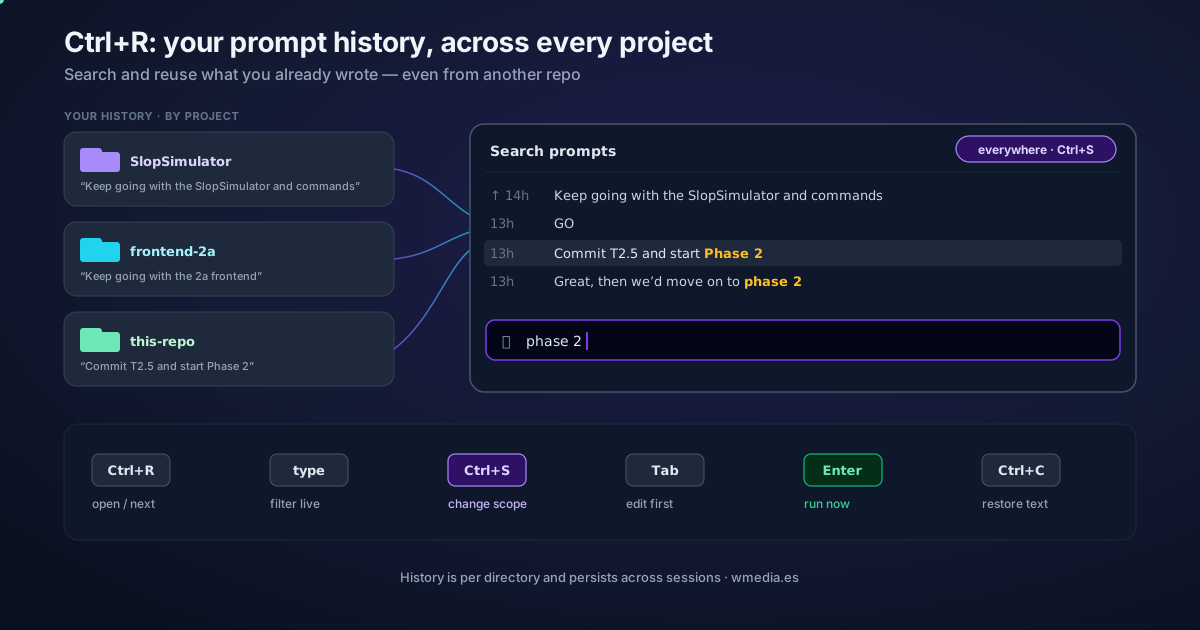
That screenshot with "Search prompts · everywhere" and a list of old prompts? It's reverse history search. Ctrl+R is the same key you know from bash, but with a twist bash doesn't have: Claude Code keeps your prompt history per directory and across sessions, and the search opens with its scope set to all projects. That's why the capture shows prompts from other repos (SlopSimulator, "frontend de 2a"…): you didn't type them in this session — it's pulling them from your global history.
Result:
Search prompts · everywhere          ← current scope (Ctrl+S changes it)
↑ 14h ago  Keep going with the SlopSimulator and commands   ┐
  13h ago  Commit T2.5 and start Phase 2                     │ prompts from
  13h ago  Keep going with the 2a frontend                   ┘ OTHER projects
  ⌕ refactor▮                          ← type and it filters live
How it works
Ctrl+R opens an incremental search over your history: you type, and it highlights matches among your previous prompts. It's not the transcript viewer (that's Ctrl+O, a different thing): here you search and reuse what you already wrote.
1. Open the search. Press Ctrl+R on an empty prompt.
2. Type to filter. Enter a few letters; the term is highlighted in every match.
3. Cycle through matches. Press Ctrl+R again to jump to older matches.
4. Change scope with Ctrl+S. It starts on all projects (the "everywhere" in the screenshot). Ctrl+S cycles the scope: this session → this project → all projects. Use it to narrow down when there's too much noise. And note that Ctrl+S means this only inside the search: outside it, the same key parks the prompt you are writing.
5. Accept or cancel.
TaborEsc: drop the prompt into the input to edit it before sending.Enter: run it as-is, immediately.Ctrl+C: cancel and restore whatever you had typed.
Quick reference
| Key | What it does |
|---|---|
Ctrl+R |
Open reverse search / jump to the next (older) match |
| type | Filter history live, highlighting the term |
Ctrl+S |
Change scope: this session / this project / all projects |
Tab or Esc |
Accept and leave the prompt in the input to edit |
Enter |
Accept and run the prompt immediately |
Ctrl+C |
Cancel and restore your original text |
Details that save you a scare
- If the screen seems to "freeze" when you press
Ctrl+S, your terminal is reading it as flow control (XOFF): pressCtrl+Qto unfreeze, and disable it withstty -ixonif it bugs you. Ctrl+R≠Ctrl+O.Ctrl+Oopens the transcript viewer; prompt search isCtrl+R. Recent versions keep them cleanly separate; ifCtrl+Rdoesn't search, update withclaude update.- This pairs nicely with bash mode (
Ctrl+B): pull a long command back from history and re-run it without retyping.
Official docs: Reverse search with Ctrl+R