TL;DR Use
/model+ arrow keys to adjust effort on the fly. Or configure it permanently witheffortLevelin settings or theCLAUDE_CODE_EFFORT_LEVELenvironment variable.
When you use /model to switch models, it's easy to miss the slider that appears below: use the left/right arrow keys to adjust the active model's effort level. That slider controls how much reasoning Claude invests before responding. It's not a strict token budget, it's a behavioral signal. At low, Claude thinks less and responds faster. At high it dedicates more thinking tokens to complex problems. On Opus 4.7 (April 2026) the default moved up to xhigh, a step between high and max; on later models the default is back to high.
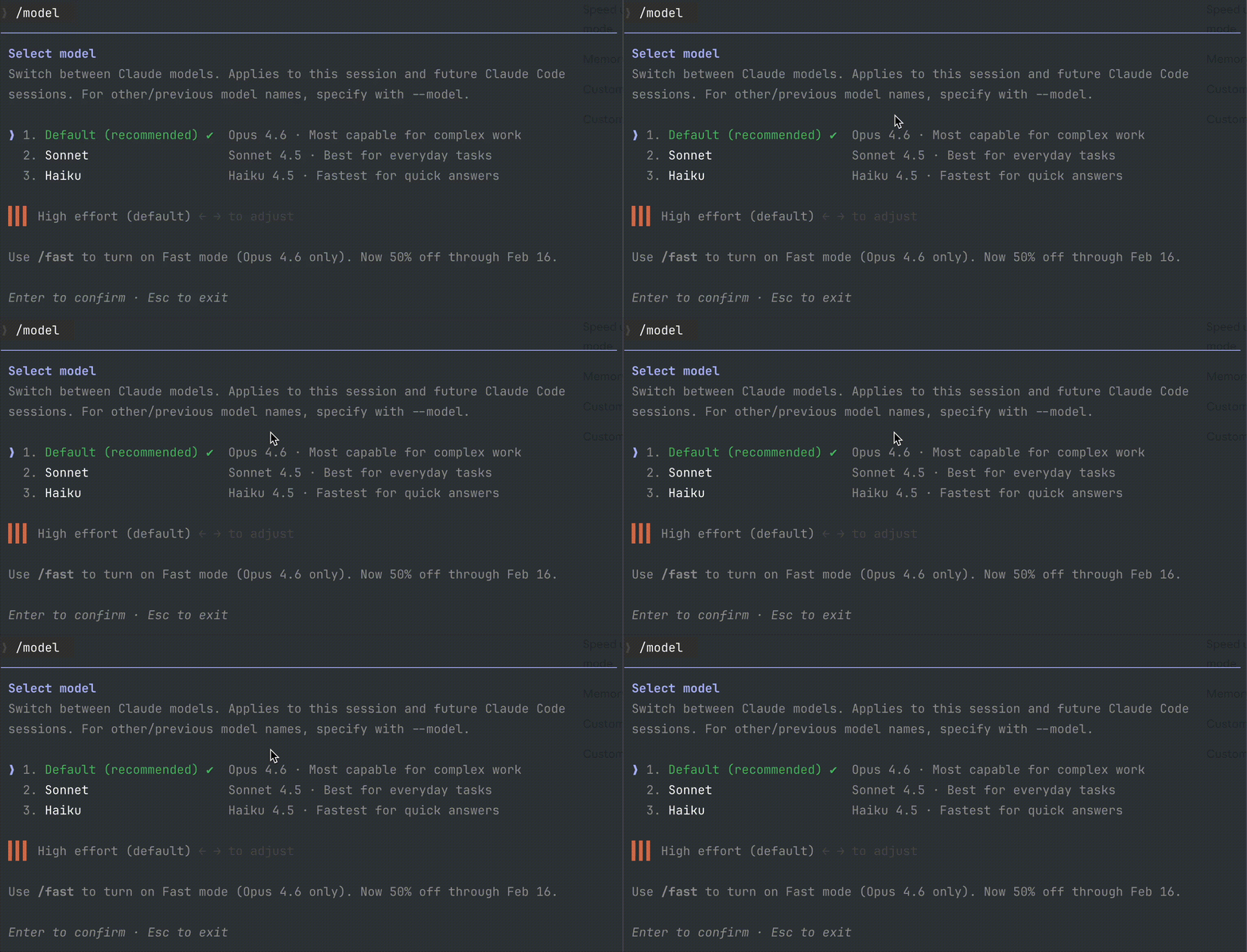
Don't confuse effort level with fast mode. Fast mode speeds up token generation without reducing reasoning quality. Lowering effort does reduce reasoning in exchange for speed and cost.
And one thing that saves wasted time: of the three controls that exist for thinking, effort is the only one still wired up on current models. The on/off switch and MAX_THINKING_TOKENS don't do what you think.
Result:
> /model

  ● opus
    sonnet
    haiku

  Effort: ◄ ██████░░░░ medium ►
3 ways to configure effort level
1. From /model (interactive)
Type /model, select a supported model, and use the left/right arrow keys to move the effort slider:
The change applies immediately to the current session.
2. Environment variable
export CLAUDE_CODE_EFFORT_LEVEL=low
Useful for scripts, CI/CD, or batch tasks where you know upfront that operations are simple.
3. Settings file
Add effortLevel to your settings.json (user or project):
{
  "model": "opus",
  "effortLevel": "medium"
}
Reference
| Level | Reasoning | When to use it |
|---|---|---|
low |
Minimal, fast and cheap responses | Simple tasks, renames, formatting |
medium |
Moderate, speed/quality balance | Daily development, straightforward implementations |
high |
Deep (the default on most models) | Architecture, complex debugging, difficult logic |
xhigh |
Deeper still | Problems that resist you at high |
max |
The ceiling, session-only | The hardest work, when cost doesn't matter |
How much you should touch it
Not much. Anthropic's guidance for Claude Code says "for most tasks you should use the model's default effort level", and to treat it as a general preference rather than a task-by-task decision. Raise it when you have a concrete reason: Claude skipped a file, didn't run the tests, or bailed on a refactor partway through. That criterion, and where each model fits, is in Sonnet 5, Opus 5 and Fable 5.
Watch out when a new model lands
Until now, the first time you ran Fable 5, Opus 4.8, or Opus 4.7, Claude Code imposed that model's default effort even if you had set another one, and held it across sessions until you chose explicitly. Opus 5 doesn't do that: it carries over whatever level you had. If you dropped to low to spend less, your Opus 5 starts on low. To go back to the model default, run /effort auto. The full detail is in Opus 5 in Claude Code.
The recommended level moved with the model too: on Opus 4.7 and 4.8 the advice was to start at xhigh for coding, and on Opus 5 you start at high and reach for low and medium freely. If you're carrying a level you set months ago, that's the first thing to revisit.
On Fable 5.1, low comes with documented fine print: it searches less and answers from memory more. If it hands you stale versions, raise the level for those turns or put the line in your CLAUDE.md that makes it search before answering.
How to monitor it
The effort level is not included in the JSON that the status line receives by default. But you can read the environment variable directly from your script:
EFFORT=${CLAUDE_CODE_EFFORT_LEVEL:-high}
And add it to your status line next to the model:
╸ my-project main │ Opus (medium) │ ██░░░ 35%
One catch: that :-high is an assumption, not a reading. If your level comes from settings.json or from an earlier /effort, the variable is empty and your status line will say high while you're actually running at low. Reading the real level means a whole precedence chain first, plus a probe that does work.
You can also see the active model with /status, and the effort level appears in the session header next to the model name.
Official docs: Model configuration: Adjust effort level
Part of the 10 habits to save tokens in Claude Code.