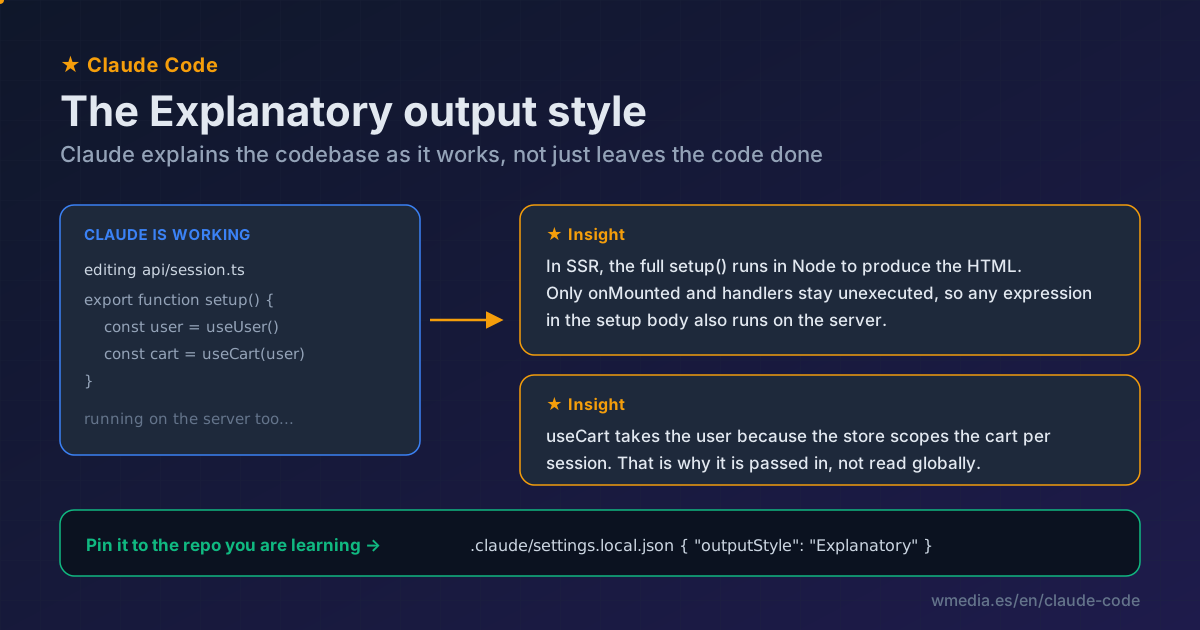
TL;DR The Explanatory style makes Claude Code drop "Insights" as it codes: why it's using that pattern, what the framework does under the hood, what trade-off it made. You turn it on with
/config→ Output style. And if you're landing in a codebase you don't know, pin it to the project (.claude/settings.local.json) so it explains things every session without you re-enabling it. It costs more output tokens (longer responses by design), so switch back to Default once you can move on your own.
You land in a repo you didn't write. Thousands of lines, a framework you barely touch, patterns someone decided two years ago and nobody documented. Claude Code gets the task done, sure, but you still don't understand why the code is shaped that way. There's an output style built for exactly this, and Claude Code's own creator recommends it: turn on Explanatory when you're getting familiar with a new codebase, and Claude explains the frameworks and patterns as it works.
What the Explanatory style is
An output style modifies Claude Code's system prompt: it changes the role, tone, and format of its responses, not what it knows. Explanatory is one of five built-in styles (Default, Proactive, Concise, Explanatory, Learning). Its whole point: it weaves "Insight" blocks between the steps of a task. It doesn't stop the work to lecture you; it drops the right explanation the moment it touches something non-obvious (an odd pattern, a framework detail, an architectural trade-off) and moves on.
What you see
★ Insight ─────────────────────────────────
In SSR, Vue runs each component's full setup() in Node to produce
the HTML; only onMounted and event handlers stay unexecuted. Rule
of thumb: any expression in the setup body also runs on the server.
────────────────────────────────────────────
That shows up inline in what Claude is doing, not in a separate chat. You learn the repo while the work moves forward, without going off to look it up yourself.
How to turn it on
1. Enable it in the session
/config → Output style → Explanatory. (The old /output-style command was removed in v2.1.91; if you go looking for it, it's gone.) The change is part of the system prompt, which Claude reads at startup, so it takes effect after /clear or in a new session.
2. Pin it to the repo you're learning
Here's the move almost nobody makes. Instead of re-enabling it every time, leave it set on the project:
// .claude/settings.local.json  (your local setting, not committed)
{ "outputStyle": "Explanatory" }
Now every session you open in that repo starts in tutor mode. And if you want the whole team landing on the project to inherit it (onboarding), put the same line in .claude/settings.json, which is committed.
3. Level up with Learning
If you don't just want it explained but want to learn by doing, the Learning style does everything Explanatory does and also asks you to write the key pieces yourself: it leaves TODO(human) markers in the code for you to fill in, then continues from there. It's the mode for internalizing a pattern, not just watching it go by.
Mind the cost
Explanatory and Learning produce longer responses by design, so they burn more output tokens than Default. Worth it while you're learning; once you can move around the repo on your own, switch back to Default and skip the toll. And remember the output style is read at session start: changing it mid-session doesn't apply until the next /clear or a new session, one more reason to pin it on the project instead of flipping it around.
Reference
| Aspect | Detail |
|---|---|
| Style | Explanatory (Insights while it works); Learning adds TODO(human) |
| Turn on | /config → Output style (the /output-style command is gone) |
| Pin to project (you) | outputStyle in .claude/settings.local.json |
| Pin to project (team) | outputStyle in .claude/settings.json (committed) |
| When it applies | At session start; after changing it, /clear or a new session |
| Cost | Longer responses, more output tokens; back to Default when done |
And heads-up if you build your own style instead of using a built-in one: a custom output style deletes Claude's engineering instructions unless one frontmatter line stops it. This tip covers it. For your project's own context and conventions, that doesn't belong in the output style: it goes in your CLAUDE.md.
Official docs: Output styles