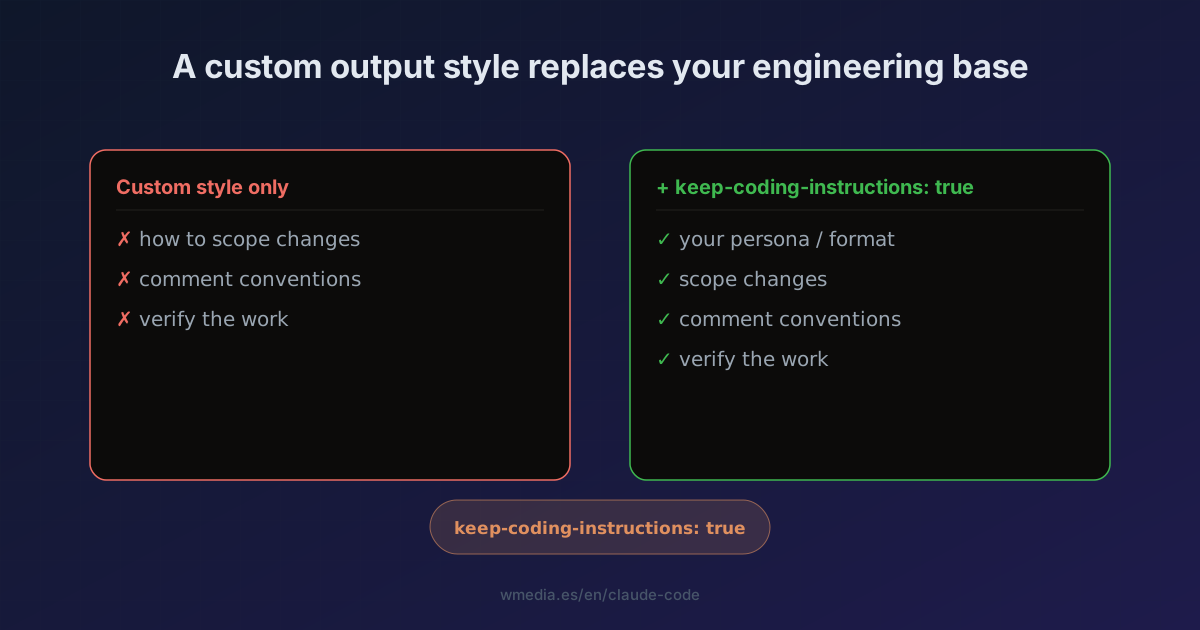
TL;DR A custom output style replaces Claude Code's default engineering instructions, it doesn't add to them. Build a "persona" style with nothing else and you lose how it scopes changes, writes comments, and verifies work. One frontmatter line fixes it:
keep-coding-instructions: truelayers your style on top instead of wiping the base.
You build your first output style. You give it a voice, a format, a persona. And suddenly Claude codes worse: it leaves changes half-done, skips verification, drops comments where they don't belong. It isn't the model: your output style has deleted the engineering instructions that shipped by default, and nobody warned you.
Why it happens
An output style modifies the system prompt. The official docs say it flat out: "Custom output styles leave out Claude Code's built-in software engineering instructions, such as how to scope changes, write comments, and verify work, unless keep-coding-instructions is set to true." And that flag defaults to false.
In other words: when you define your own style, Claude Code assumes you're no longer doing software engineering (a writing assistant, a data analyst) and strips the engineering layer. Useful if you genuinely aren't coding. A footgun if you only wanted to change the tone.
The fix: one line
In your output style file (~/.claude/output-styles/my-style.md for all projects, or .claude/output-styles/ for one):
---
name: Diagrams first
description: Lead every explanation with a diagram
keep-coding-instructions: true
---

When explaining code or architecture, start with a Mermaid diagram
of the structure, then explain in prose.
With keep-coding-instructions: true, your instruction is added on top of the engineering behavior. Without that line, it replaces it.
When to use which
| You want to… | keep-coding-instructions |
|---|---|
| Change tone/format, but you're still coding | true |
| Stop Claude being an engineer (writing, analysis) | leave it out (false) |
How to switch styles (heads-up, this changed)
The /output-style command was deprecated in v2.1.73 and removed in v2.1.91. If you go looking for it, it's gone. Now:
/config→ Output style to pick from the menu (saved to.claude/settings.local.json).- Or set the field directly:
{ "outputStyle": "Explanatory" }
The output style is part of the system prompt, which Claude Code reads once at session start. Changes take effect after /clear or in a new session.
Reference
| Frontmatter field | What it does | Default |
|---|---|---|
name |
Style name (falls back to the file name) | file name |
description |
Text shown in the /config picker |
none |
keep-coding-instructions |
Keeps the engineering instructions | false |
This is NOT the same as CLAUDE.md: an output style changes the system prompt (role, tone, format); CLAUDE.md adds a message with your project context without touching the base. For a one-off addition on a single invocation, use --append-system-prompt. And if a built-in is enough instead of building your own, there's the Explanatory style as your tutor when you want the repo explained as it works, and the Concise style when you want the opposite, the narration gone and the result first.
Official docs: Output styles
Requirements
- Claude Code v2.1.x (the
keep-coding-instructionsfield and/config; the old/output-styleis gone).