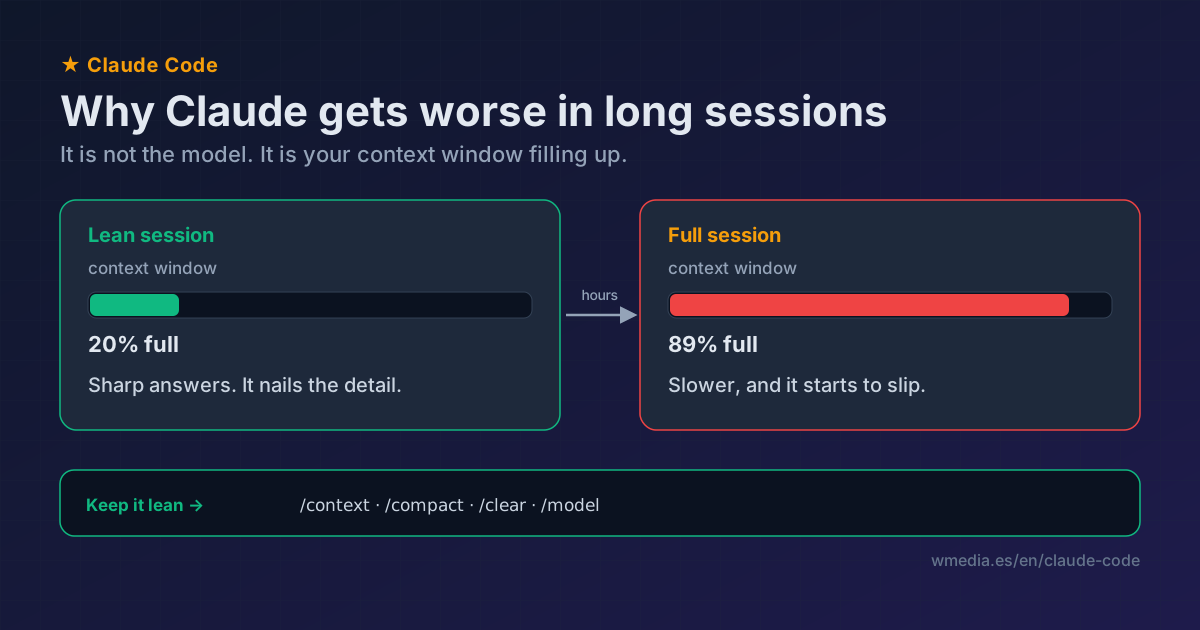
TL;DR The model doesn't change within a session; what changes is how much context it drags along. As the window fills, Claude doesn't just get slower, it starts performing worse (the docs themselves tell you to run
/compact"when context starts affecting performance"). Session hygiene: watch the fill with/context, compact at natural breaks with/compact, and/clearwhen you switch tasks or the conversation gets poisoned. And use/modelto check you aren't silently on a weaker one.
You start the session and Claude is sharp. Three hours later it fumbles things it used to nail, repeats a mistake you already corrected, misses details. The temptation is to think "the model is worse today." It almost never is. The model doesn't change mid-session (Anthropic ships releases with semver, and /release-notes tells you if anything changed in your CLI). What does change, turn by turn, is your context: every file read, every tool result, every back-and-forth stays in the window. And a full window reads worse than a lean one.
That same full window has a second effect, on what you spend: it does not just sit there, it gets re-sent in full on every turn the session has left. The quality curve you are reading about here and the cost curve are the same curve.
Why a full window performs worse
It isn't just slower from processing more tokens. Claude Code's own guide tells you to run /compact "when context starts affecting performance," so the context-to-quality link is acknowledged out of the box. The pattern everyone sees, backed by attention research on language models: a model pays more attention to the start and end of what it reads, and less to the middle. The longer and noisier your history, the more the stuff that matters gets diluted among things you no longer need (that one tool dump, that branch you abandoned). Claude is still there, but it's reading your session with a dimmer flashlight.
What you see
> /context   (illustrative example)
Context  ███████████████████░  178k / 200k   89%
  System prompt + tools   12k
  CLAUDE.md + memory       6k
  Conversation           160k   <- this is the weight
Near the limit. /compact to free space.
Once the bar passes 70-80%, that's your cue. Don't wait for autocompact to fire mid-task.
And if you're wondering exactly where it fires, that's the auto-compact window, and four different places can set it without telling you.
How to keep the session healthy
1. Watch the fill: /context
It shows how much of the window you've spent and on what. It's the thermometer. If you're high and things feel worse, you know it's the context, not the model. There's a dedicated /context tip.
2. Compact at the breaks, not when it already hurts: /compact
When you finish a function, close a bug, or before you start something long, compact yourself instead of waiting for autocompact. And tell it what to keep:
/compact "keep the plan and the diff, drop the rest"
The summary keeps your intent, the files touched, the errors and what's pending, but drops the verbatim conversation (full tool results are gone). What survives and what doesn't is in this tip.
3. /clear when you switch tasks or it gets poisoned
If you pivot to something unrelated, or Claude anchored on a bad read and repeats the mistake even when you point out the right answer, don't compact: wipe it with /clear and start fresh. It isn't destructive, the conversation stays on disk and resume brings it back.
4. Push the noise to a subagent
A subagent works in its own window: its file reads don't fill yours, only the summary comes back. For research or tracing something long, delegate it and your context stays lean.
The surprise weight is usually command output. A verbose test run leaves ten thousand characters of filler in the window, and when it fails it does not even bring the reason it failed: the cheapest fix there is not delegating it, it is making it print less.
5. The cause nobody checks: which model are you on?
Sometimes it isn't a full session at all. If you use opusplan, Claude runs Opus in plan mode and Sonnet in execution, so the part where it writes code is the weaker one by design. And if you set a fallback model for overload spikes (your plan B for 529 errors), it may have kicked in and left you there without you noticing. A /model switch you made a while ago does the same. Check with /model: Claude isn't dumber, you're just not on the model you think you are.
Reference
| Signal | What's happening | What you do |
|---|---|---|
| Long session, worse answers | Context full (performs worse, not just slower) | /context to see, /compact to lighten |
| You pivot to a new task | You're dragging the previous context | /clear and start clean |
| Worse but context is low | You're on a weaker model or effort | /model to check |
This assumes everything is green: no errors, no outage. If what you suspect is that Claude Code is broken or down (an MCP that won't connect, the service itself), that's the decision tree on the other side: is it down, or is it you?.
A concrete example of that same dilution: a CLAUDE.md rule (like "never add Co-Authored-By") that stops holding halfway through a long session because the model isn't keeping it as front-of-mind anymore. Here's the fix if that's the line sneaking into your commits.
Official docs: Explore the context window