TL;DR
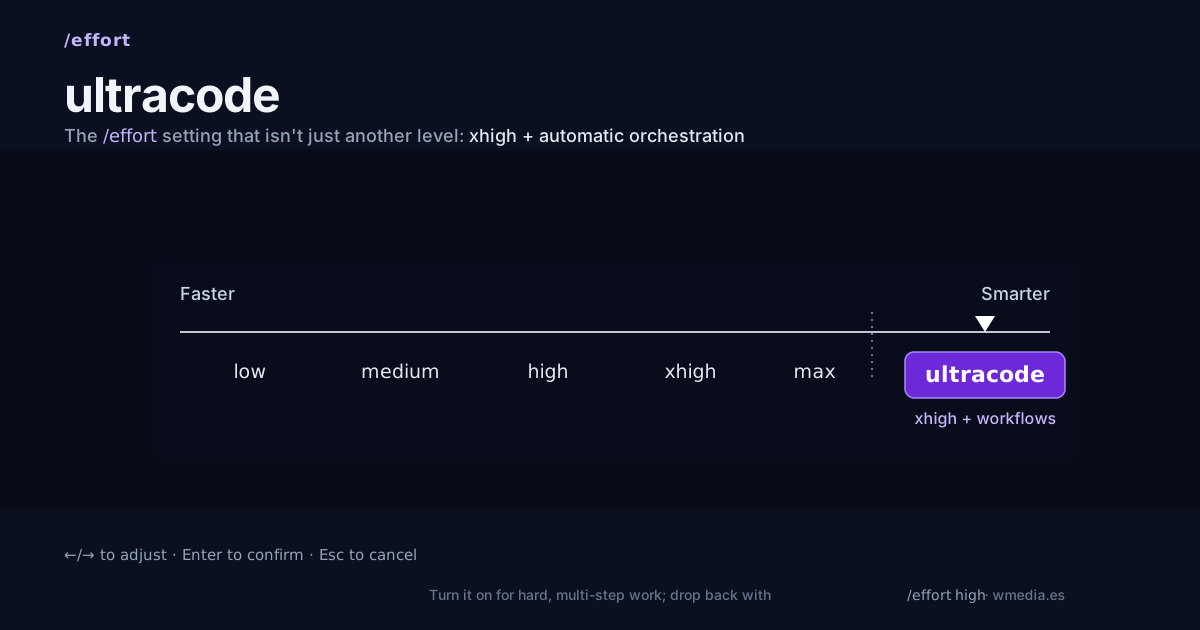
/effort ultracodebumps your session toxhighand lets Claude decide on its own, for every substantive task, whether it's worth spinning up an agent workflow (understand → change → verify). It's not a new reasoning level abovexhigh: it'sxhighplus automatic orchestration. It lasts the session and you drop back with/effort high. Turn it on for hard, multi-step work; turn it off for routine work, because it costs more on every task.
There are two ways to get agents out of Claude Code. The manual one: you put ultracode in your prompt (or just ask in your own words) or run /deep-research, and you decide when to parallelize, for one specific task. And the automatic one: /effort ultracode, where Claude decides, for the whole session. This tip is about the second, and about the only question that matters: when to flip that switch.
Careful not to mix them up, because the word is the same: a bare ultracode in a prompt builds one workflow for that task. /effort ultracode changes the whole session.
What it actually is
ultracode is an option in the /effort menu, not a separate command. It does two things at once:
- Bumps reasoning to
xhigh(the high rung of effort). - Hands Claude the orchestration call. Instead of waiting for you to ask for a workflow, Claude plans one on its own for every substantive task in the session.
Watch the name: it isn't reasoning "higher than xhigh". It's xhigh, and on top of that, the decision of when to deploy agents moves from you to Claude.
What happens when you turn it on
> /effort ultracode
  Effort: ultracode · Claude plans a workflow for each substantive task

> refactor the auth module and add tests
  → workflow 1: understand the auth flow
  → workflow 2: make the change
  → workflow 3: verify it (agents that refute each other)
A single request turns into several workflows in a row: one to understand, one to change, one to verify. And this applies to every substantive task you ask for until you turn it off.
How to use it
1. Turn it on.
/effort ultracode
It needs a model that supports xhigh. If yours doesn't, ultracode won't even show up in the /effort menu.
2. Work as usual. ultracode automates the decision to plan a workflow, not launching it blindly: in the default permission mode, Claude shows you the phases before running and you approve each run (you can open the script; it's not a black box).
3. Turn it off.
/effort high
It only lasts the current session and resets when you open a new one, but drop back to high as soon as you return to routine tasks.
When to, and when not to
| Turn it on for | Don't turn it on for |
|---|---|
| Large migrations, multi-file refactors | Renames, one-line fixes |
| Bug or security audits across the codebase | Formatting or config changes |
| Research with cross-checked sources | Quick questions |
| A whole session of hard work | Routine day-to-day |
The rule: if the task doesn't need several agents checking each other, ultracode charges you xhigh plus orchestration for nothing.
What can bite you
- It costs more on every substantive task, not just the big ones. Each request burns more tokens and takes longer. That's why it's a switch you flip on and off, not a default.
- And it silences the size warning. With ultracode on, the
Large workflowflag (the one that fires when a run schedules more than 25 agents or its projected tokens pass 1.5 million) stops appearing, because turning it on already opts you into large runs. The brake you have left is choosing the workflow's size before you launch it. - In Auto mode there's no such brake. With Auto permissions (or bypass), ultracode doesn't just plan the workflow, it launches it without asking, and agent fleets start on their own.
- If you disable workflows (
/config,disableWorkflows, orCLAUDE_CODE_DISABLE_WORKFLOWS=1),ultracodedisappears from the/effortmenu.
Reference
| Aspect | Detail |
|---|---|
| Command | /effort ultracode |
| What it is | xhigh effort + automatic orchestration (not a new level) |
| Scope | The whole session, every substantive task |
| Behavior | 1 request → several workflows in a row (understand → change → verify) |
| Turn off | /effort high (or a new session) |
| Requirement | A model with xhigh; otherwise it's not in the menu |
| Auto mode | Skips the workflow approval prompt |
| Availability | Research preview, part of dynamic workflows (v2.1.154+) |
One detail if you want to confirm it's on: since it isn't an effort level, ultracode reports as xhigh. How to read the level that's actually running.
Official docs: Let Claude decide with ultracode