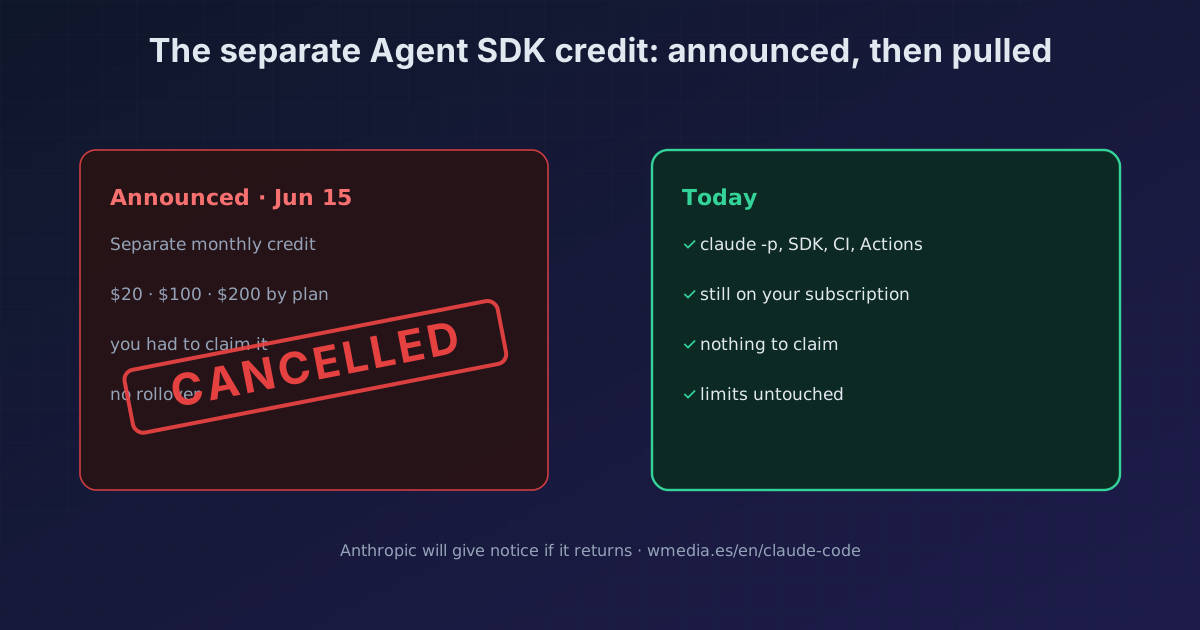
TL;DR · Update, June 16, 2026: Anthropic walked it back. The change that was going to move
claude -p, the Agent SDK, GitHub Actions and third-party apps to their own monthly credit is not happening. Everything still draws from your subscription limits exactly as before, and there's no credit to claim. Anthropic says it's reworking the plan and will give advance notice before anything takes effect.
In May, Anthropic announced that from June 15, 2026, programmatic usage (claude -p, the Agent SDK, GitHub Actions and third-party apps) would stop drawing from your subscription limits and move to its own monthly credit. Half the internet, this tip included, told you to get ready. It's not happening, at least for now: on the very day it was meant to land, Anthropic sent an email cancelling it.
What Anthropic says now
Straight from the notice to users:
"We're not making this change today. We're working to update the plan to better support how users build with Claude subscriptions. Nothing changes for now. Agent SDK,
claude -p, and third-party app usage continues to work with your subscription exactly as it did before today, and there's no credit to claim. Your subscription limits are unchanged. When we have an update, we'll share it with advance notice before it takes effect."
In plain terms: if you rushed to claim a credit or reshuffle your cron jobs before the 15th, you can undo it. There's nothing to do.
What was announced (and doesn't apply today)
For the record of what was on the table, and might come back reworded:
- A separate monthly Agent SDK pool, split from your interactive limits, for
claude -p, the SDK, CI/cron, GitHub Actions and third-party apps. - A dollar amount per plan: $20 (Pro), $100 (Max 5x), $200 (Max 20x), with variants on Team and Enterprise.
- Spent at standard API rates, no rollover, and a one-time opt-in to turn it on.
None of this is live. Your programmatic usage still counts against your subscription limits, as always.
Why it's not a surprise
This is the second time in 2026 Anthropic has announced a billing change to programmatic usage and reversed it after the backlash. In January it blocked subscription OAuth tokens from third-party tools and backed off within days. The pattern repeats: announcement, community reaction, walk-back.
The useful takeaway: when the next "your Agent SDK credit changes on date X" lands, don't rush. Anthropic has committed to advance notice, and this time that window came to nothing.
What you can control in the meantime
The spend split hasn't changed, but the tools to avoid draining your quota unattended are still there:
- Cap each call with
--max-turnsand--max-budget-usdon yourclaude -pruns. - Track your real consumption with
/usageand/stats. - If you call the SDK from your own code, for now it counts the same as the rest of your subscription usage.
Official docs: Run Claude Code programmatically · Manage costs · Use the Agent SDK with your plan
Requirements
Nothing to do. If you claimed anything or reshuffled cron jobs expecting the change, you can revert it: your subscription limits are intact.