TL;DR
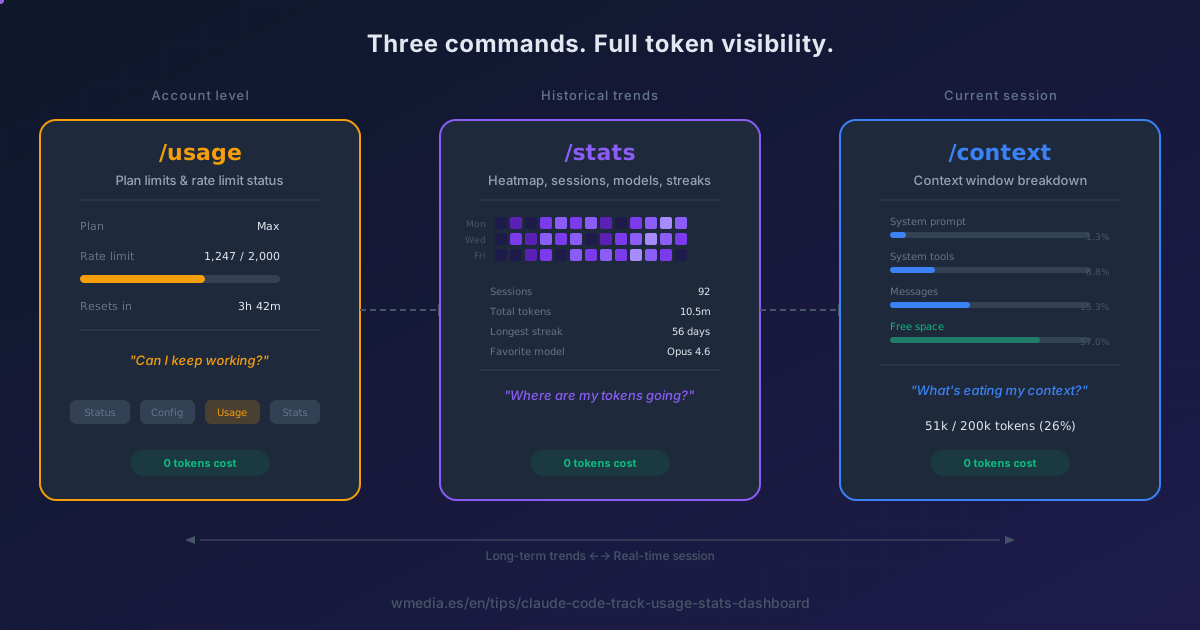
/usagetells you how much of your plan is left, where it went, and when it resets./statsand/costare not other commands: they are aliases of that one and open the same screen. If what you want is the breakdown of the session you have open right now, that one is genuinely different:/context.
What you have left in Claude isn't measured in tokens but as a percentage of your plan. On the web and in the desktop app, it's under Settings > Usage. In Claude Code, type /usage: it shows how much of your 5-hour session and your week you've used, and when each one resets.
One more thing that puts everything else in order: /usage, /cost and /stats are the same command. Claude Code's own code declares it without ambiguity:
{ name: "usage", aliases: ["cost", "stats"],
  description: "Show session cost, plan usage, and activity stats" }
Whichever one you type, the same screen opens. There is no /stats dashboard separate from the /usage gauge. There is one screen with several sections.
What it actually tells you
You can read it without opening the interface, and that way you get both windows at once:
$ claude -p "/usage"

You are currently using your subscription to power your Claude Code usage

Current session: 14% used · resets Aug 16 at 9:20pm (Europe/Madrid)
Current week (all models): 29% used · resets Aug 20 at 8pm (Europe/Madrid)
Current week (Fable): 29% used · resets Aug 20 at 8pm (Europe/Madrid)

What's contributing to your limits usage?

Last 24h · 317 requests · 6 sessions
  95% of your usage was at >150k context
  Top skills: /artifact-diagramming 8%, /claude-code-tip 7%, /linkedin-daily 7%
  Top MCP servers: wmedia 18%

Last 7d · 1566 requests · 15 sessions
  87% of your usage was at >150k context
  59% of your usage came from sessions active for 8+ hours
  37% of your usage came from subagent-heavy sessions
  Top MCP servers: wmedia 9%, plugin:chrome-devtools-mcp:chrome-devtools 7%
That is my machine, untouched. Three things worth reading properly:
The three bars are different windows. The session one is a rolling five hours. The weekly one is what locks you out for days. And the third is specific to the model you use, so switching with /model does not hand your session back: how the two limits actually work.
The attribution block names the culprit: your skills, subagents, plugins and MCP servers, each with a percentage. It is the part of the screen you can act on directly: which skill and which MCP are eating your limit.
And inside that block sit two lines nobody reads together: 95% of the usage above 150k of context, and 59% of it coming from sessions running 8+ hours. Those are not two facts, they are the same one from both sides: whatever fills the context gets re-sent on every turn, and an eight-hour session is a lot of turns.
The dollar figure is for API users. On Pro or Max your usage is included in the subscription and that number bills nothing. Claude Code computes it locally at list rates, so it reflects no discounts and will not match your real invoice.
That same block does carry something everyone can use, on the line right under the per-model breakdown: Prompt cache (main) tells you what share of your input came from cache, how many misses you have, and what caused them. That part does not depend on how you pay.
Does looking at it cost tokens?
This tip used to get this wrong, and here is the correction: it said no, and the right answer is a little yes. The official docs file it under background consumption:
Command processing: Some commands like
/usagemay generate requests to check status
We are talking about pennies, typically under $0.04 per session counting everything Claude Code does in the background. That is no reason to stop looking. But "zero" was false, and in a tip about measuring consumption that word matters.
The one that is genuinely free is /clear. The one that is very much not is /compact, because summarizing the conversation means reading all of it.
How to use it
1. Both windows at once, without the interface
claude -p "/usage"
It prints the 24 hours and the 7 days back to back, with the request and session count for each. The interactive screen always opens on the last 24 hours and you have to press w for the week.
2. The interactive screen
> /usage
Or /stats, or /cost. Inside, d and w switch between day and week, and r retries when the limits request fails (which happens when the usage endpoint is rate limited: you will see Showing last-known usage with data up to an hour old).
3. Move it to your status line
To avoid running it every time, put it in your status line and it sits in front of you without typing anything.
4. And /context for the session you are in
> /context
This one really is a different command, answering a different question. /usage is your plan; /context is this conversation: how much the system prompt, tools, MCP servers and messages take up inside the window of whichever model you have selected.
Reference
| Command | What it is | What it shows |
|---|---|---|
/usage |
The command | Plan bars, attribution by skill/MCP, activity, and session cost for API users |
/stats |
Alias of /usage |
The same screen |
/cost |
Alias of /usage |
The same screen, cache line included |
/context |
Its own command | Context window breakdown for the current session |
/insights |
Its own command | HTML report on how you work, not how much you spend. This one really does cost tokens |
When to use which
| Situation | Command |
|---|---|
| "Am I about to hit my limit?" | /usage |
| "Who is eating my quota this week?" | /usage, the 7-day block |
| "Is my cache working, and if not, why?" | /cost, the Prompt cache (main) line |
| "What's eating my context window right now?" | /context |
| "How do I work, and where do I get stuck?" | /insights |
Official docs: Commands reference | Manage costs effectively
Related tips: Monitor context with /context | 10 habits to save tokens | Why a session burns so many tokens | Choose the right model | Prompt caching | What broke your cache, according to /cost | The Agent SDK credit that was announced and cancelled | How your usage limits actually work (5h + weekly) | Your limit always in the status line