TL;DR Install the
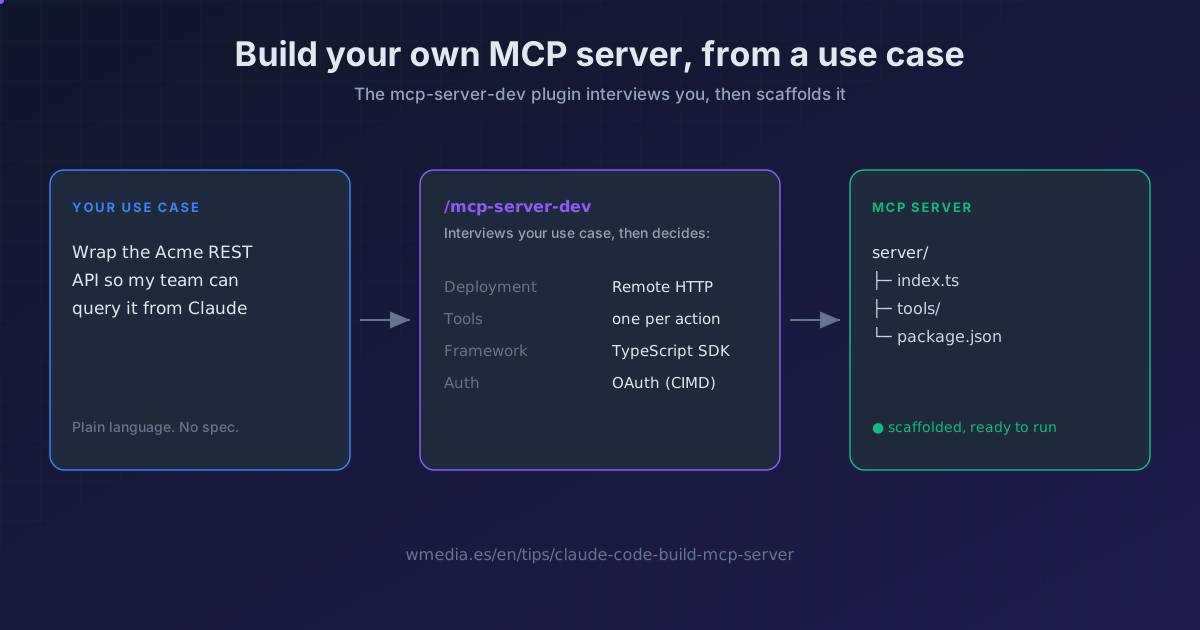
mcp-server-devplugin, run/mcp-server-dev:build-mcp-server, and describe what you want to connect. Claude asks you the design questions the spec normally forces on you (transport, tool shape, framework, auth), picks the architecture, and scaffolds the server. You bring the use case, it brings the spec.
Every MCP tip we've written teaches you to consume servers: you add them with claude mcp add and Claude gains tools. This goes the other way. mcp-server-dev is an official Anthropic plugin that has Claude build one for you.
It's not a template generator. It's a skill that interviews your use case and makes the calls that normally send you into the MCP spec: whether the server runs remote or local, how to split the tools, which framework to use, how to handle auth. Then it scaffolds the project.
When you launch it, the conversation goes roughly like this (it's an interactive flow, not fixed output):
> /mcp-server-dev:build-mcp-server

What does it connect to?    A cloud API (Notion-style REST)
Who will use it?            Anyone who installs it
How many actions?           About 6

Recommendation
  Deployment   Remote HTTP (streamable)  · zero install, OAuth-ready
  Tools        one per action (6 tools)
  Framework    TypeScript SDK
  Scaffolding project...
How to use it
1. Install the plugin
It ships as a plugin, so you install it like any other:
/plugin install mcp-server-dev@claude-plugins-official
If it says the marketplace isn't found, add it with /plugin marketplace add anthropics/claude-plugins-official and retry. Once installed, /reload-plugins activates it without a restart.
2. Start the build skill
/mcp-server-dev:build-mcp-server
Or just ask in plain language ("help me build an MCP server") and the skill triggers on its own.
3. Describe the use case
This is the trick. Instead of writing code, you answer five questions: what it connects to, who will use it, how many actions it exposes, whether any tool needs to ask you for input mid-run, and what auth the service uses. From that, Claude picks the architecture for you, instead of leaving that decision (the most expensive one to undo) to guesswork.
4. Let it scaffold (and hand off if needed)
For a remote server with no UI, the skill scaffolds the project itself (Express or FastMCP, or the express lane with Cloudflare Workers). Need interactive widgets in the chat? It hands off to build-mcp-app. Server has to live on your machine bundled with its runtime? It hands off to build-mcpb.
5. Test it and ship it
Once it runs, you test against real Claude by adding it as a connector, run the review checklist, and optionally submit it to Anthropic's Directory. The skill links each step.
The five paths (and when each wins)
| Deployment | When |
|---|---|
| Remote HTTP (streamable) | The default. Wrapping a cloud API. Zero install for users, OAuth handled properly. |
| Elicitation | A tool just needs you to confirm or fill a short form. No UI code. |
| MCP app | You need rich in-chat widgets (searchable pickers, charts, dashboards). Hands off to build-mcp-app. |
| MCPB | The server has to touch your machine (files, desktop apps). Bundled with its runtime. Hands off to build-mcpb. |
| Local stdio | Quick personal prototype. Not recommended for distribution. |
The plugin's three skills
| Skill | What it does |
|---|---|
build-mcp-server |
The front door. Interviews you and picks the architecture. |
build-mcp-app |
Adds interactive UI (forms, pickers, dialogs) inside the chat. |
build-mcpb |
Bundles a local server with its runtime so it installs without Node or Python. |
Official docs: Find and build MCP servers
Requirements
The plugin runs in Claude Code with plugin support. The server you generate will need Node (TypeScript SDK) or Python (FastMCP), depending on the framework you pick.