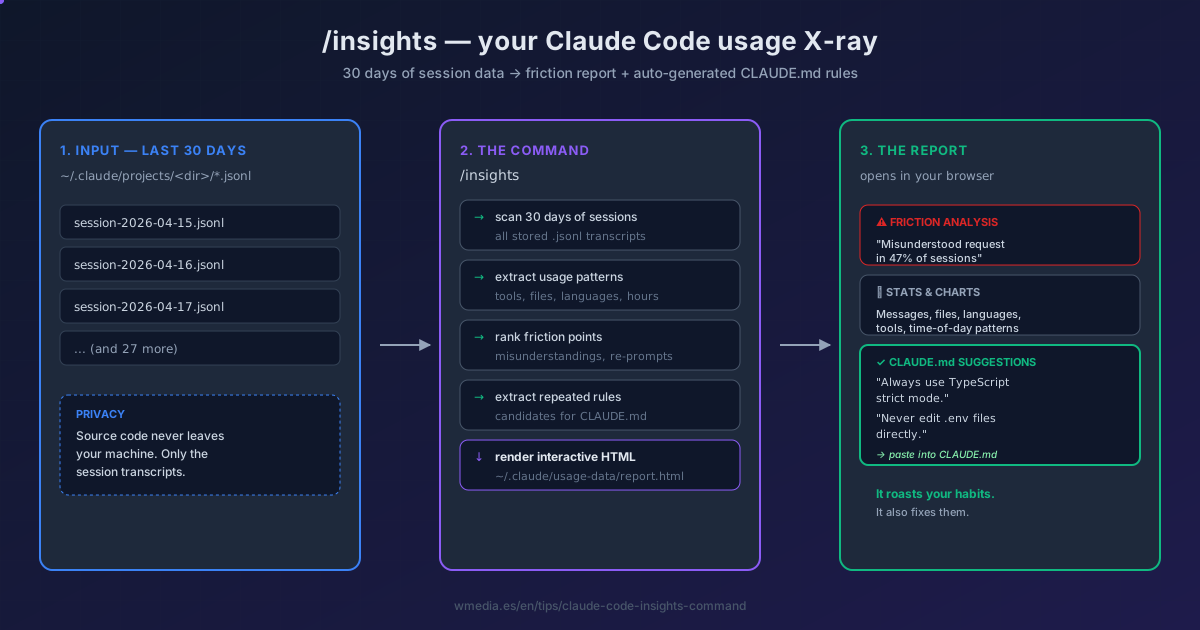
If you've been running Claude Code for weeks or months, there's a built-in command that generates an interactive HTML report of your last 30 days. Friction points ranked by frequency. Charts of tools, languages, and time-of-day patterns. And — the killer feature — CLAUDE.md rule suggestions pulled directly from the instructions you repeat most.
It's called /insights. Almost nobody has run it yet, and the community has already nicknamed it "the command that roasts your habits."
How it works internally
When you run /insights, Claude Code:
- Scans your last 30 days of sessions stored at
~/.claude/projects/<dir>/*.jsonl(the same files/fewer-permission-promptsreads). - Analyzes patterns: which tools you call, which files you touch, when Claude misunderstands you, where you re-prompt.
- Generates an interactive HTML report at
~/.claude/usage-data/report.htmland opens it in your browser. - Your source code never leaves your machine — only session transcripts are processed.
What's in the report
| Section | What you get |
|---|---|
| At a glance | What's working, current friction points, quick wins, ambitious workflows |
| Stats dashboard | Messages, lines of code changed, files touched, active days |
| Usage charts | Tools called, request types, languages, session categories |
| Narrative analysis | A summary of your working style and patterns |
| Time-of-day | When you actually code with Claude (with timezone selector) |
| Friction analysis | Workflow breakdowns ranked by frequency, with quoted examples from your sessions |
| CLAUDE.md rule suggestions | Ready-to-paste rules extracted from instructions you repeat — the bonus |
How to use it
/insights
That's the entire command. Wait ~30 seconds, the browser opens.
The friction analysis is the part that stings. Things like "Claude misunderstood the request on the first attempt in 47% of sessions" with quoted examples pulled straight from your conversations. Painful, useful.
The CLAUDE.md suggestions are the part that pays off. Instead of hand-curating your CLAUDE.md, you get rules generated from your actual usage. Move the good ones into your project's CLAUDE.md and the friction drops on the next run.
When to run it
- Weekly cadence: track whether your friction is going down across runs.
- After a long autonomous session: see what tripped Claude up before you forget.
- Onboarding a new project: get a baseline before tweaking CLAUDE.md.
- When something feels off: if Claude has been "not getting it" lately, the friction analysis usually tells you why.
Reference
| Aspect | Detail |
|---|---|
| Command | /insights (no arguments) |
| Time range | Last 30 days of session transcripts |
| Output | ~/.claude/usage-data/report.html (auto-opens in browser) |
| Source | ~/.claude/projects/<dir>/*.jsonl |
| Privacy | Local processing only — source code never uploaded |
Official docs: Claude Code commands reference (search for
/insights)
Sister command for the same data:
/fewer-permission-promptsreads the same transcripts to build your allowlist.