TL;DR Turn on
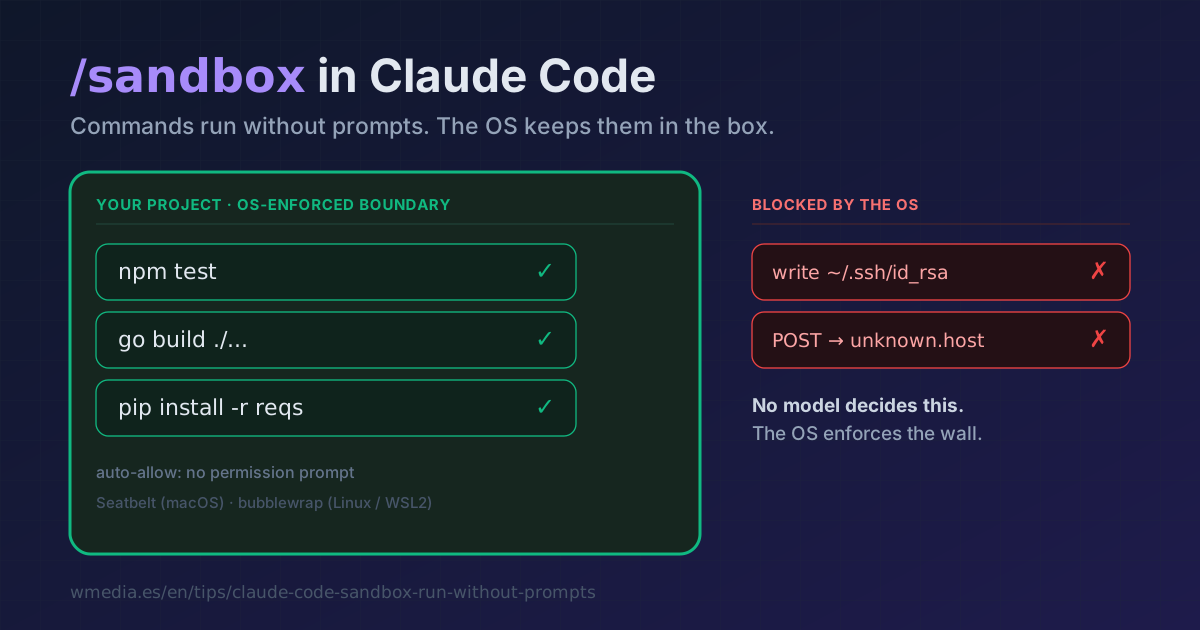
/sandboxin auto-allow mode and Claude runs commands without asking, but the operating system stops it from writing outside your project or reaching domains you never approved. This isn't auto mode's classifier: there's no model making the call here, just a wall the OS enforces. If you live in--dangerously-skip-permissions, this is the safety net you were missing.
By default, Claude asks before every Bash command. To skip that you've got auto mode or YOLO. The sandbox attacks the problem from the other end: instead of deciding whether a command runs, it defines what it can touch once it does, and the operating system enforces that boundary (Seatbelt on macOS, bubblewrap on Linux/WSL2) for every command and its child processes.
That's the distinction almost nobody catches. Auto mode puts a classifier in front of each action to judge it before it runs. The sandbox judges nothing: it raises a physical fence. No model in the loop, fully deterministic, and it works on any plan or model because the limit comes from the OS, not your account. And the two stack.
Result:
> /sandbox

Sandbox  Mode  Overrides  Config

Configure mode
  1. Sandbox BashTool, with auto-allow
  2. Sandbox BashTool, with regular permissions
  3. No Sandbox ✓

Auto-allow mode: Commands will try to run in the sandbox automatically,
and attempts to run outside of the sandbox fallback to regular permissions.
Explicit ask/deny rules are always respected.
The box, by default
Out of the box, before you change anything, the sandbox allows the following:
- Writes: only your working directory and its subfolders. Nothing in
~/.bashrc,/bin, or any path outside the project. - Reads: most of the disk. Heads-up: by default that includes
~/.sshand~/.aws/credentials. If that bothers you, block them withdenyRead. - Network: no domains pre-allowed. The first time a command needs a new one, it prompts.
1. Turn it on for one project
Run /sandbox and pick option 1 (auto-allow). The choice is saved to .claude/settings.local.json, so it applies to that project and never lands in git.
2. Enable it across every project
Set it once in ~/.claude/settings.json and stop toggling per project:
{
  "sandbox": { "enabled": true }
}
3. The commands that break out
Some tools don't run inside the sandbox. Rather than turning it off, exclude them with excludedCommands:
{
  "sandbox": {
    "enabled": true,
    "excludedCommands": ["docker *"]
  }
}
The usual suspects: docker is incompatible, jest hangs (use jest --no-watchman), and Go-based CLIs (gh, gcloud, terraform) fail TLS verification under Seatbelt on macOS.
4. Strict mode (no escape hatch)
By default, a command that fails inside the sandbox can be retried outside it, asking you for permission. To close that door and force everything to run contained:
{
  "sandbox": { "enabled": true, "allowUnsandboxedCommands": false }
}
Reference
| Panel mode | What it does |
|---|---|
| Sandbox BashTool, auto-allow | Runs inside the sandbox without asking; whatever can't falls back to regular permissions |
| Sandbox BashTool, regular permissions | Runs inside the sandbox but still prompts (more control) |
| No Sandbox | Off (the default) |
settings.json key |
What it's for |
|---|---|
sandbox.enabled |
Turn it on across all your projects |
sandbox.excludedCommands |
Commands that run outside (docker, gh...) |
sandbox.filesystem.allowWrite |
Grant writes to external paths (~/.kube, /tmp/build) |
sandbox.filesystem.denyRead |
Block sensitive reads (~/.ssh, ~/.aws) |
sandbox.allowedDomains |
Pre-allow network domains |
sandbox.allowUnsandboxedCommands |
false = strict mode, no escape |
Not a perfect jail
The sandbox lowers risk, it doesn't erase it. It doesn't inspect TLS traffic, so allowing a broad domain like github.com can become a data-exfiltration path. And remember: by default it can still read your credentials. Treat it as a very tall fence, not a vault.
Where it fits
- The 6 permission modes decide whether a command runs.
- Auto mode puts a classifier in charge of that decision.
- The sandbox decides what an already-running command can touch, enforced by the OS.
They're layers, not rivals. The strong move is to combine them: the sandbox's auto-allow plus auto mode gives you the no-prompt flow with two nets instead of one.
Requirements
macOS, Linux, or WSL2 (not native Windows). On Linux and WSL2 you need bubblewrap and socat (sudo apt-get install bubblewrap socat). On macOS there's nothing to install: it uses the system's Seatbelt.
The sandbox is the answer when you are sitting in front of the session. When you are not, because a CI job is the caller, the rules change and the failure makes no noise.
The sandbox is the fourth of five levers. How to combine it with rules and auto mode is in the permissions guide.
Official docs: Configure the sandboxed Bash tool