TL;DR Create
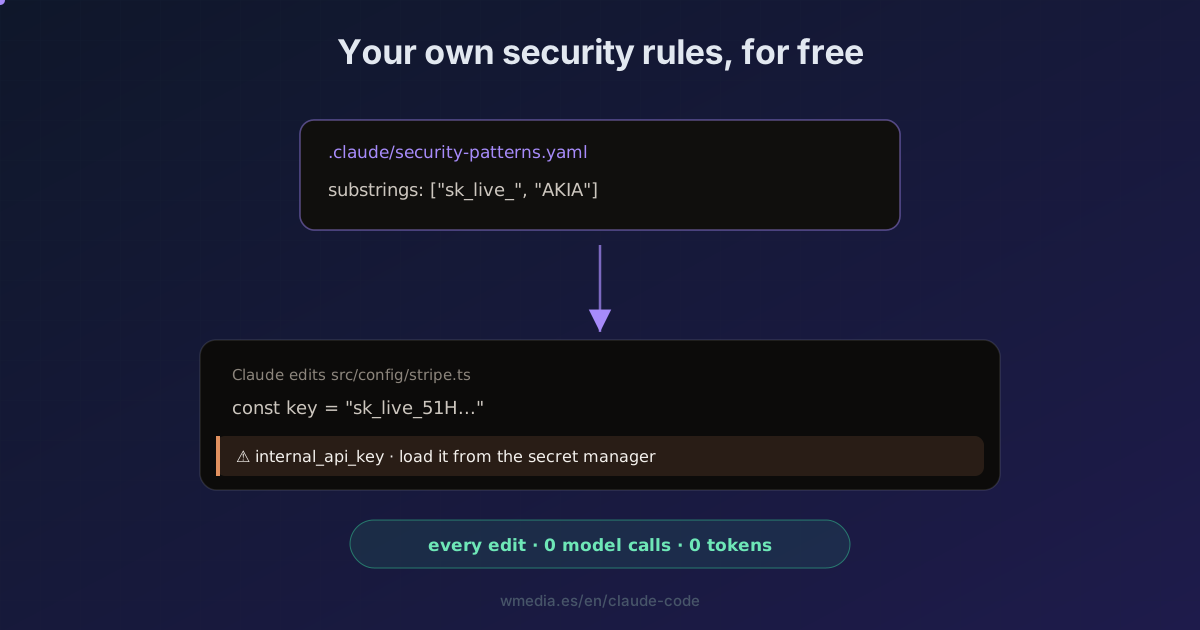
.claude/security-patterns.yamlwith your own rules (substrings or regex) and thesecurity-guidanceplugin fires on every edit Claude makes when one of your patterns shows up: a hardcodedsk_live_, an unfiltered multi-tenant query. It's deterministic, zero model calls, zero cost. Set the file once and it watches on its own.
The security-guidance plugin reviews Claude's code in three layers. Two use the model and spend tokens; the third, the per-edit one, is a deterministic pattern match with no model call: zero cost. That layer ships built-in patterns (eval(, pickle, dangerouslySetInnerHTML…), but the part almost nobody configures is adding your own.
That's what .claude/security-patterns.yaml is for. You define what text, in which files, with which warning. Every time Claude writes, if the pattern shows up, the warning lands in its context for the next step.
Result:
⏺ Edit  src/config/stripe.ts
⚠ internal_api_key · Hardcoded API key prefix. Load credentials from the secret manager.
How to use it
1. Prerequisite: the security-guidance plugin
The pattern layer lives inside the plugin. If you don't have it:
/plugin install security-guidance@claude-plugins-official
/reload-plugins
The plugin tip covers all three layers; here we go straight to the free one.
2. Create .claude/security-patterns.yaml
patterns:
  - rule_name: internal_api_key
    substrings: ["sk_live_", "AKIA"]
    reminder: "Hardcoded API key prefix. Load credentials from the secret manager."
  - rule_name: tenant_unfiltered_query
    regex: "\\.objects\\.all\\(\\)"
    paths: ["**/src/tenants/**"]
    reminder: "Multi-tenant code must filter by org_id."
Two rules: one catches a secret prefix in any file; the other, an unfiltered query only under src/tenants/.
3. The fields
| Field | What it is |
|---|---|
rule_name |
Identifier shown in the warning |
substrings |
List of literal strings (this or regex) |
regex |
Python regex matched against the edited content |
paths |
Globs: the rule applies only to those files (prefix with **/) |
exclude_paths |
Globs to skip |
reminder |
The warning fed to Claude (max 1 KB) |
4. Where it looks
It loads and concatenates every one that exists:
- User:
~/.claude/security-patterns.yaml(all your projects) - Project:
.claude/security-patterns.yaml(checked in with the repo) - Project local:
.claude/security-patterns.local.yaml(gitignored, your overrides)
Watch out for
- The
.yamlneeds PyYAML importable. If you don't have it, the file is ignored silently. Use.json(same schema), which works on any Python. - Cap of 50 rules, and it skips regexes that look prone to catastrophic backtracking.
- It's additive and doesn't block. It adds patterns to the built-in ones (it can't remove them), and the warning is an instruction to Claude, not a wall. For hard enforcement, use a hook that blocks the edit or a CI check.
- Each warning fires once per pattern, per file, per session: no flooding.
Where it fits
- It's the cheapest layer of the
security-guidanceplugin: the other two (turn and commit) use the model; this one is free. - For rules that need judgment rather than a fixed pattern, there's the natural-language file
.claude/claude-security-guidance.md(same locations), which does go through the model.
Official docs: Add custom per-edit patterns
Requirements
- The
security-guidanceplugin installed (CLI v2.1.144+). - Python 3.8+ on your
PATH(the plugin needs it). - For
.yaml: PyYAML importable. Otherwise use.json(no dependencies).