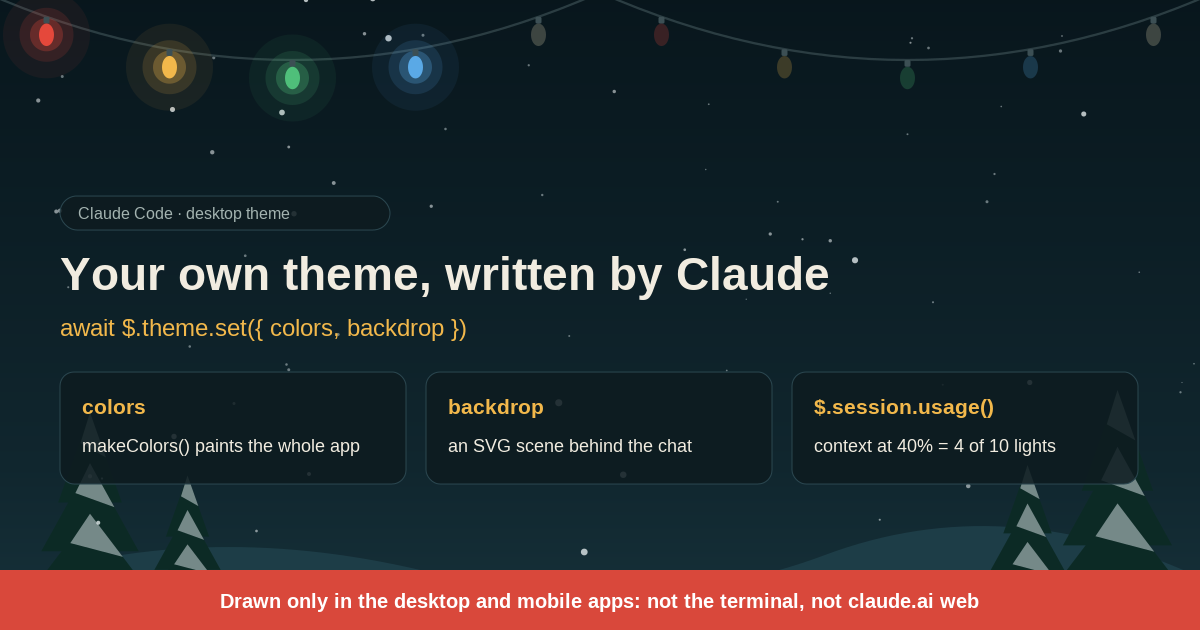
TL;DR In a local session of the desktop app, ask Claude for a mod with the theme you want. It writes the files, the mod loads when the turn ends, and you tune it by talking. If nothing changes, it's almost always one of the five causes in the table below.
Since v2.1.324, a mod can change how the Claude Code desktop app looks: the colors of the whole interface, a backdrop behind the conversation, the style of the messages and the sound. This is not the terminal's /theme, which changes the CLI palette with a JSON file: it's code that runs inside Claude Code and calls $.theme.set.
I built a Christmas one. A snowy night with pine trees and a string of 10 bulbs that turn on as the context fills, one for every 10%.
How to ask for it
1. Open a local session in the desktop app. According to the docs, mods don't run in an SSH or WSL session.
2. Ask in your own words. This is roughly what I asked for:
make me a mod with a Christmas theme for the app: a snowy night, matching colors and a string of lights whose bulbs turn on as my context fills
3. Let it load the session's mods. Claude loads the plugin-authoring skill and writes the mod in ~/.claude/dev-mods/<session id>/<name>/. On the first file, the app asks Turn on the mods Claude writes in this session?. In bypass mode it didn't ask: it turned them on by itself.
4. Wait for the turn to end. The mod loads when Claude finishes its reply, not before, and every later edit reloads the same way. That's why Claude can't write it and see it in the same turn.
What Claude writes
nochebuena/
├── .claude-plugin/plugin.json
└── hooks/
    ├── hooks.json         { "modules": ["./register.tsx"] }
    ├── register.tsx       the theme
    ├── scene.ts           the backdrop's SVG
    └── make-colors.js     copied from the skill
And this is register.tsx, with gaps where it says // ...:
const LOOK: ThemeSetArgs = {
  colors: theme,
  backdrop: { scene: SCENE, glass: { blur: 4, tint: '#0d1b20', opacity: 0.45 } },
}

let percent = 0

export const register: Register = on => {
  on('session.start', async ($, e, next) => {
    const usage = await $.session.usage()

    percent = usage.context.percent ?? 0
    // ...
    await $.theme.set(LOOK)

    return next(e)
  })

  on('session.measure', ($, e, next) => {
    const measured = e.context.percent ?? percent

    if (litBulbs(measured) !== litBulbs(percent)) {
      $.ui.invalidate('ui.render')
    }
    percent = measured

    return next(e)
  })

  on('ui.render', { component: 'Backdrop' }, ($, e, next) => {
    // ...
    const { Svg } = $.ui.resolve(e)

    return <Svg source={scene(percent)} alt={`A snowy night with a string of lights, ${litBulbs(percent)} of 10 lit`} isInteractive />
  })
}
theme comes from makeColors, a function the skill copies into the mod. A theme has up to four parts, all sent in a single $.theme.set call, because each call replaces the whole theme:
| Part | What it changes | How you define it |
|---|---|---|
colors |
Surfaces, text and accents across the app | makeColors with a few anchors (surface-0, text-primary) and five roles |
backdrop |
What sits behind the conversation | A fixed color or gradient, or a scene that a hook draws with an SVG |
style |
Bubbles, type and tool rows | Rules per part: UserMessage, AssistantMessage, ToolUse |
sound |
Ambience and cues | Numbers (tones and layers), never an audio file |
The lights come from two more pieces: $.session.usage() gives the context percentage at startup, and the session.measure event fires each time it changes, so the backdrop is drawn again.
Why sometimes nothing gets painted
A badly written theme throws no error: it loads and draws nothing. These are the causes, from the skill and from what I saw while building mine:
| What you see | Cause |
|---|---|
| Nothing changes and there's no error | A made-up color name, such as background. Only the app's design-system names count, which is why you use makeColors |
| Colors yes, backdrop no | backdrop: { scene } with no ui.render hook on Backdrop to draw it |
| The app ignores the whole theme | A problems line that starts with Desktop won't paint this theme. The rest are contrast notices: mine gave 18 and none was one of those |
isDrawn: false |
The session runs in the terminal or in VS Code, which draw no themes |
| It shows on desktop but not on claude.ai | The web doesn't draw them either: I opened this same session through Remote Control on claude.ai and it came up with the usual look |
isDrawn: true only says that an app that draws themes is attached, not that yours looks right: you have to look. Permission prompts always keep the app's own look, and that can't be changed.
Remove it, keep it, and check someone else's
The first three points come from the docs and from Anthropic's announcement; I haven't tested them.
- Remove it. Turn the mod off in
/plugin, Installed tab, and open a new session. If the colors stay, search Settings forcode appearanceand press Remove colors. - Keep it. A session's mod lives in
~/.claude/dev-mods/. A mod under~/.claude/skills/<name>/loads when you start any session. - Start from an example. Anthropic announced the
theme-examplesplugin: you install it from Customize > Plugins and it brings the/custom-themecommand. - Check someone else's. A mod is code with your permissions and no sandbox. Before installing a theme you didn't write,
claude plugin validate <folder>lists what it hooks and what it calls. This is mine:
❯ ./register.tsx hooks: session.start, session.measure, ui.render{component=Backdrop}
❯ ./register.tsx calls: $.session.usage, $.theme.set, $.ui.invalidate, $.ui.resolve, $.ui.toast
A theme that also calls $.http.fetch or $.process does more than paint.
Official docs: Draw in the interface with a mod
Requirements
- The Claude desktop app with Claude Code v2.1.324 or later for colors;
styleandsoundneed v2.1.329. - A local session. Themes are drawn in the desktop app and the mobile app.
- Tested on November 25, 2026 in the desktop app for macOS with Claude Code v2.1.331: the app answered
isDrawn: trueon thedesktopsurface.