TL;DR Claude Code has a real vim mode (NORMAL, INSERT, VISUAL, motions, text objects) and you turn it on with
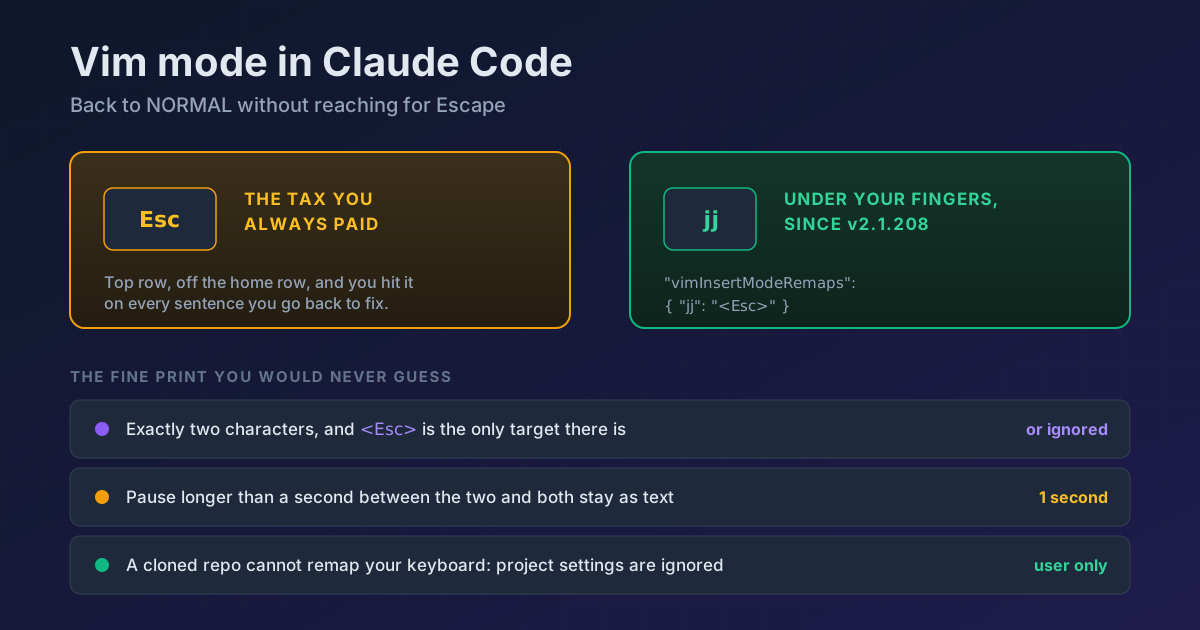
"editorMode": "vim". What almost nobody has set is the part that landed in v2.1.208: you can map a two-key sequence to Escape with"vimInsertModeRemaps": { "jj": "<Esc>" }. I had vim mode on for months without it, stretching my little finger on every sentence. Watch the one-second rule: pause longer than that between the two keys and both stay as text, so you can still type words withjjin them.
If you come from vim, the first hour in Claude Code hurts in a very specific way. You type a prompt, you want to fix a word three back, and your hand has already hit Esc before your brain decided anything. Except nothing happened.
Something does happen. There is a full vim mode inside the prompt, and it has been there longer than you would guess.
Turning it on
// ~/.claude/settings.json
{
  "editorMode": "vim"
}
Or from /config, under Editor mode, if you would rather not touch the file. From there Esc takes you to NORMAL, and i I a A o O bring you back to INSERT exactly as you expect.
The part almost nobody has configured
Reaching for Escape is the tax you pay for vim everywhere, which is why half the world maps jj. In Claude Code you can, as of v2.1.208:
{
  "editorMode": "vim",
  "vimInsertModeRemaps": { "jj": "<Esc>" }
}
This is where the fine print matters, because there are four rules you would never guess:
1. Exactly two printable characters, no more and no fewer
The key has to be two characters long. An entry that is longer or shorter is silently ignored, with nothing to tell you.
2. "<Esc>" is the only target there is
This is not a general remapping system. You get to choose which two keys take you to NORMAL, and that is the whole feature. Any other target is discarded.
3. The one-second window
Typing the first letter inserts it normally, like any other character. Press the second one within a second and Claude Code removes the pending character and drops you into NORMAL, leaving neither of the two in your prompt. Take longer than that, or press a different key, and both stay as literal text.
That last part is what makes the whole thing usable: you can still type words containing jj, you just pause briefly between the two keys.
4. A repository cannot remap your keyboard
This setting is read only from your user settings, the --settings flag, and managed settings. Anything in a project's .claude/settings.json is ignored. That is deliberate: otherwise cloning any repo could change what your keys do.
What is actually inside NORMAL
This is not a token vim with four arrow keys. The coverage is the surprising part:
| Group | Commands |
|---|---|
| Motion | h j k l · w e b · 0 $ ^ · gg G |
| Jump to character | f{c} F{c} t{c} T{c} · ; and , to repeat |
| Delete and change | x dd D dw de db · cc C cw ce cb · s S |
| Yank and paste | yy Y yw ye yb · p P |
| Other | >> << to indent · J join lines · u undo · . repeat |
| Text objects | iw aw iW aW · i" a" · i' a' · i( a( · i[ a[ · i{ a{ |
Press v for character-wise VISUAL and V for line-wise, and operators act on the selection.
Two touches you appreciate once you have been at it a while: in NORMAL, when the cursor can no longer move up or down, j and k start navigating command history instead of sitting still. And / opens reverse history search, the same as Ctrl+R.
And that u in the table shares its buffer with the input box's general undo, Ctrl+_, with one advantage on vim's side: in NORMAL every operation is recorded on the spot, without waiting for the one-second pause that groups what you type in INSERT.
Requirements and version notes
vimInsertModeRemaps needs v2.1.208 or later. A couple of other pieces are recent enough to be worth knowing if something does not respond: s and S arrived in v2.1.211, and . did not correctly repeat change operators (cw, cc) or pastes until v2.1.216. Check with claude --version.
If you got here reading about keys in Claude Code, the other place people get stuck is the new line on Shift+Enter, which depends on your terminal and has its own fix. And if the keyboard is not your thing at all, there is voice dictation.
Official docs: Interactive mode · Settings