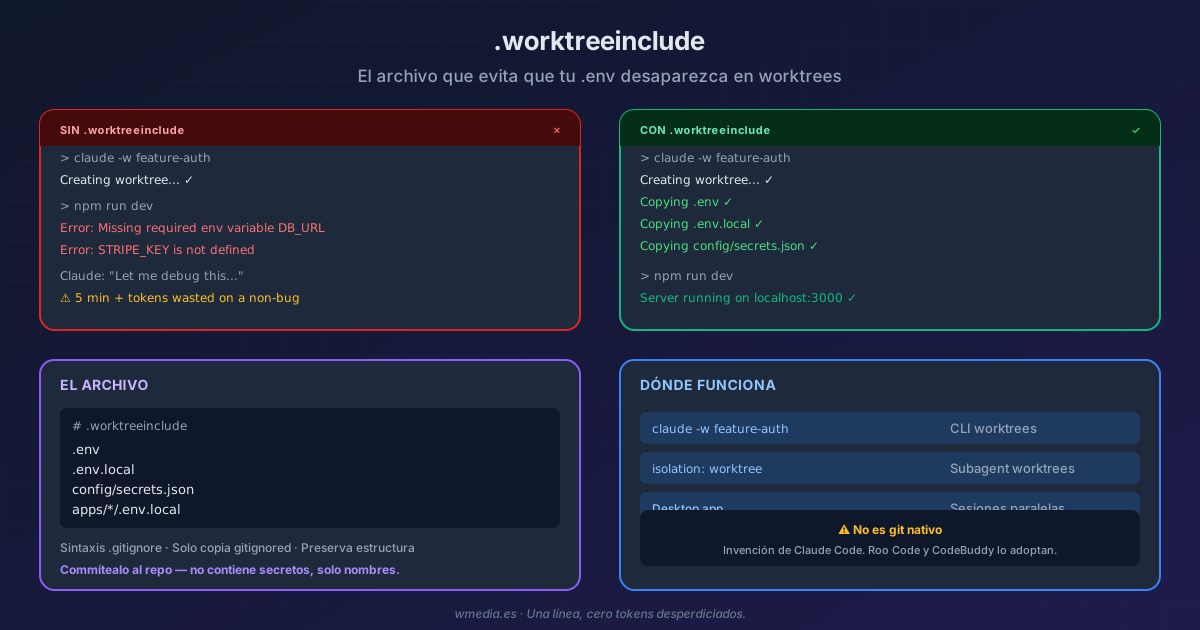
TL;DR You create a worktree with
claude -w, your app won't start, and you waste 5 minutes before realizing the.envisn't there. Git worktree only copies tracked files — everything in.gitignore(.env,.env.local,config/secrets.json) stays behind. The fix is a file called.worktreeincludeat your project root. It uses.gitignoresyntax, and Claude Code automatically copies the listed files only if they're also gitignored. It's a Claude Code invention — git doesn't support it — and it deserves to be committed to the repo so the whole team benefits.
I'm a heavy Claude Code user and I had no idea this existed. I've been using a custom skill to create worktrees for months, manually asking Claude to copy env files every time. Until I discovered that Claude Code solves this with a one-line file that's been there since Desktop supported it.
The problem is universal: a worktree is a clean checkout. It only has what git tracks. Everything in .gitignore — which is exactly where your secrets, environment variables, and local config live — doesn't exist in the new directory. Your app fails, and Claude burns tokens debugging something that isn't a bug.
The file
Create .worktreeinclude at your project root:
# .worktreeinclude
.env
.env.local
config/secrets.json
That's it. Next time you run claude -w feature-auth, Claude Code copies those files into the worktree automatically. Works with:
--worktreefrom the CLI- Subagent worktrees (
isolation: worktree) - Parallel sessions in the Desktop app
Rules
| Rule | What it means |
|---|---|
.gitignore syntax |
Supports *, **, ! for negation, # for comments |
| Only copies gitignored files | If the file is tracked by git, it won't be duplicated |
| Preserves structure | config/secrets.json creates config/ in the worktree |
| Not recursive by default | *.env matches root only; **/*.env matches the full tree |
Real example: monorepo with multiple .env files
# .worktreeinclude
.env
.env.local
apps/web/.env.local
apps/api/.env.local
packages/db/.env
config/master.key
config/credentials/development.key
The pattern I use: create it from the first session's findings
If you're working on a project without a .worktreeinclude, ask Claude to create one:
Create a .worktreeinclude with all the gitignored files
the app needs to start. Check .gitignore, setup scripts,
and the README.
Claude scans the project, identifies which gitignored files are needed for the app to run (.env, keys, local configs), and generates the file. I commit it to the repo and the whole team benefits from the next session onward.
Don't gitignore it — share it
.worktreeinclude doesn't contain secrets — it contains names of files that are secrets. It's metadata, not data. Commit it to the repo the same way you commit .gitignore:
git add .worktreeinclude
git commit -m "Add .worktreeinclude for worktree env setup"
Any teammate who runs claude -w after a git pull will have their .env copied automatically.
What it does NOT do
- Doesn't create files — if your
.envdoesn't exist in the main directory, it can't copy it - Doesn't work with custom hooks — if you use a
WorktreeCreatehook,.worktreeincludeis ignored; copy files inside the hook instead - Not a git feature — it's a Claude Code invention (other AI tools like Roo Code and CodeBuddy are adopting it, but git doesn't support it natively)
If you already have worktrees working, this file is the detail that turns "works for me" into "works for the team." One line, zero wasted tokens.
Pair with parallel worktrees if you're not using them yet, and with /run-skill-generator if you want Claude to also know how to launch the app in each worktree without guessing. And once they pile up, see what every Desktop session leaves on disk. The same goes for the worktree of a PR you review with --worktree "#1234": if the tests need your .env, this file carries it over.
Official docs: Copy gitignored files into worktrees — Claude Code Docs