TL;DR Ask Claude Code to "make an artifact of…" and it publishes a self-contained HTML page to a claude.ai URL your team opens in the browser and watches update live. Requirements: Pro, Max, Team, or Enterprise plan, signed in to claude.ai, and Anthropic API only (no Bedrock/Vertex). It's static by design: no backend, a CSP that blocks
fetchand external resources, everything baked in; the one exception is MCP connector calls when the page loads. No access (API key, gateway, Bedrock)? The underlying technique (ask for HTML instead of Markdown and open it locally) still works.
There's an uncomfortable truth Anthropic put in writing in a post on the effectiveness of HTML: a Markdown file over 100 lines doesn't get read, it gets skimmed. And an agent's output used to stay trapped in your terminal, visible only to you. The community was already doing it by hand (someone on Reddit built a homemade "HTML Drive" to save and share these pages). Artifacts is that idea, made official. And as of July 2026 it's no longer enterprise-only: it's on Pro and Max, with the beta label gone.
How it works
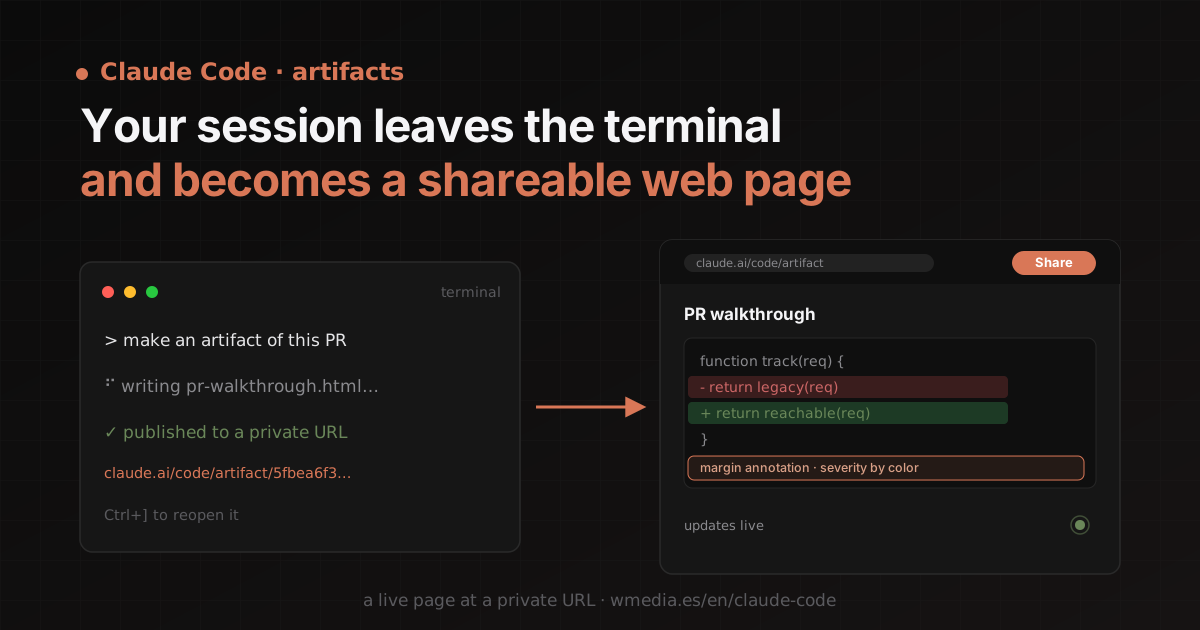
An artifact is a live web page Claude Code publishes from your session to a URL on claude.ai. You open it in the browser and it updates in place as the session continues. Claude writes an HTML (or Markdown) file in your project and publishes it; it asks permission the first time.
> Make an artifact that walks through this PR with the diff annotated inline.

⠋ Writing pr-walkthrough.html...
Claude wants to publish "PR walkthrough" (pr-walkthrough.html)
  to a private page on claude.ai  [y/n] y

✓ https://claude.ai/code/artifact/5fbea6f3-...
  (your browser opens automatically · Ctrl+] reopens the latest)
Each publish is a version, and your full gallery lives at claude.ai/code/artifacts. You share from the page header, and here's one of the big changes: on Team and Enterprise, with specific people or your whole organization (even in an editor role, so they can republish versions from their own session); on Pro and Max, with a public link anyone can open with no claude.ai sign-in. To update it from another session, give Claude the URL, or attach it with /artifacts, which lists all of yours and keeps Claude from creating a second one.
What you can build
A single HTML page, so anything you can express with HTML, CSS, and inline JS fits:
- Walk through a change: a PR diff with margin annotations and findings color-coded by severity.
- Compare alternatives: four layouts of the same panel, in a grid, each with its trade-off underneath.
- Interactive controls: sliders for an easing curve so you watch the animation live.
- Bring the result back to the session: a triage board with a "Copy as prompt" button that hands you the final ordering to paste back.
- Track work in progress: a checklist that ticks itself off while a long task runs.
My favorite use earned its own tip: sculpting an artifact until I understand the change, and only then delegating. And there is one artifact you don't write yourself: /design publishes an editable design canvas built on this very same object.
Static by design (and why that matters)
Here's the limitation that confuses people most, and it's on purpose, for security. Claude wraps your file in a strict CSP:
| Constraint | What it means |
|---|---|
| No external requests | The CSP blocks fetch, XHR, WebSocket, and any script, font, or image from another host. Claude inlines the CSS/JS and embeds images as data URIs |
| No backend | It can't store what you type into a form, authenticate viewers, or call an API of its own at view time |
| Single page | Relative links don't resolve; it uses in-page anchors |
| File types | .html, .htm, or .md · Rendered size ≤ 16 MiB |
The documented exception arrived with v2.1.209: MCP connectors. The page can ask claude.ai to call your connectors when it loads, so a dashboard shows fresh data on every visit while remaining a static page. With caveats: each viewer approves access and uses their own connections (two people can see different data), and a connector-backed artifact can't be shared through a public link. For everything else the rule stands: if you want real state, deploy on your own infra. An artifact is a capture of the work, not an app.
The token cost is worth it (with a design system)
A styled page costs more tokens than the same content as terminal text: inline CSS/JS and data-URI images are the expensive part. But the visual payoff is huge. To avoid paying twice: prefer SVG or HTML+CSS over raster images, and record your design system where Claude can read it (your CLAUDE.md or a theme file), because reusing colors, spacing, and typography is what makes it cheaper and consistent. Claude loads a built-in skill, artifact-design, when it builds one:
Skill(artifact-design)
  └ Successfully loaded skill
Your prompt and your design system take precedence over it. And that skill is exposed as a command too: run /artifact-design when you want that design guidance on demand, without waiting for Claude to auto-load it. Since August it has a sibling that handles the drawings, artifact-diagramming, covered in Claude Code diagrams. To stop your UIs looking AI-made in general, the frontend-design skill pushes the same way. And if tokens worry you, see how your usage limits work.
No access? The technique still works
If you run on an API key, gateway, or cloud credential, the publish button doesn't exist for you. But the underlying move works today anyway: ask Claude Code for a self-contained HTML page and open it locally with open report.html. You lose sharing and live updates, but you keep what matters: you stop skimming Markdown.
Requirements
- Pro, Max, Team, or Enterprise plan (no admin management on Pro/Max; on by default on Team; an admin enables it on Enterprise).
- Signed in to claude.ai with
/login. With an API key, gateway, or cloud credential it won't publish. - Anthropic API only: not on Amazon Bedrock, Google Vertex AI, or Microsoft Foundry.
- Claude Code CLI v2.1.183+, or desktop app v1.13576.0+. Turn it off with
"enableArtifact": false(the older"disableArtifact": truestill works, but is deprecated).
Official docs: Share session output as artifacts · Artifacts in Claude Code (blog) · The "HTML Drive" on Reddit