TL;DR A
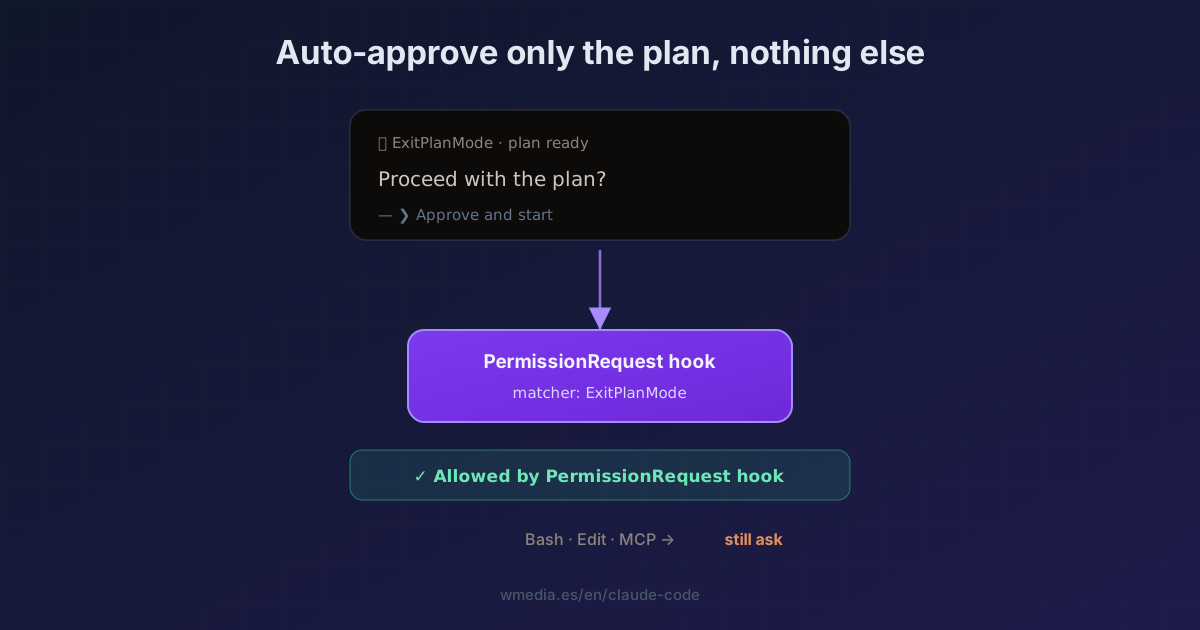
PermissionRequesthook with"matcher": "ExitPlanMode"that returns{"behavior":"allow"}approves only the "proceed with the plan?" prompt. Bash, edits, and MCP keep asking as usual. The narrow matcher is the whole point: you automate one permission, not all of them. Works in interactive mode: since it acts on the permission dialog, in headless (-p) it doesn't apply; there the event would bePreToolUsewithpermissionDecision: "allow".
You kick off a big plan. You get up for a coffee, or move to another task. You come back ten minutes later and Claude hasn't touched a thing: it's been sitting there the whole time, waiting for you to hit "yes, proceed." Dead time, for a permission you were going to grant anyway.
The good part: that one permission can be automated. And only that one.
How it works
When Claude leaves plan mode it calls a tool, ExitPlanMode, which requires permission. The PermissionRequest event fires right when the approval dialog would appear. A hook can answer it for you with behavior: allow. Scoped with "matcher": "ExitPlanMode", it touches only that permission, nothing else.
Result:
Here's my plan:
  1. ...
  2. ...

✓ Allowed by PermissionRequest hook
No waiting on your click.
How to set it up
1. The hook in settings.json
In ~/.claude/settings.json (or the project's .claude/settings.json):
{
  "hooks": {
    "PermissionRequest": [
      {
        "matcher": "ExitPlanMode",
        "hooks": [
          {
            "type": "command",
            "command": "echo '{\"hookSpecificOutput\":{\"hookEventName\":\"PermissionRequest\",\"decision\":{\"behavior\":\"allow\"}}}'"
          }
        ]
      }
    ]
  }
}
The command writes the decision to stdout. That's all: the plan approves itself.
2. The narrow matcher is the safety
"matcher": "ExitPlanMode" makes the hook answer only that permission. An rm, an edit, an MCP call still prompt you like always. You automate one specific thing without dropping your guard on the rest.
When the tool name alone isn't narrow enough, the entry also takes an if field holding a permission rule, which scopes by what that tool is about to do: conditional hooks.
3. Interactive only
PermissionRequest acts on the approval dialog, so in headless (claude -p) it doesn't apply. If you need it there, the event is PreToolUse with permissionDecision: "allow". And if you set neither, the denial never warns you: in headless the run still ends green. On approval, Claude Code restores the permission mode you had before entering plan.
What NOT to do
A variant going around also flips to bypassPermissions after approving the plan, so nothing prompts again. That's the opposite of the idea: it opens the floodgates. If you want to keep reviewing bash and edits, skip it. The value is precisely the narrow matcher.
Reference
| Piece | Value |
|---|---|
| Event | PermissionRequest (interactive) · PreToolUse (headless) |
| Matcher | ExitPlanMode (bare name, no specifier) |
| Output | {"hookSpecificOutput":{...,"decision":{"behavior":"allow"}}} |
| Scope | Only the exit-plan-mode permission |
Official docs: Automate actions with hooks
It pairs with plan mode, where the permission comes from, and with the /permissions system (deny/allow/ask), the programmable layer of which this hook is part.
Requirements
- Claude Code v2.1.x. The
PermissionRequesthook acts in interactive sessions. ExitPlanModerequires permission, which is why it can be intercepted.