TL;DR Get the Claude app, turn on auto-connect for Remote Control (
remoteControlAtStartup: true), and flip both push toggles in/config. Set it once and you can walk away from the desk.
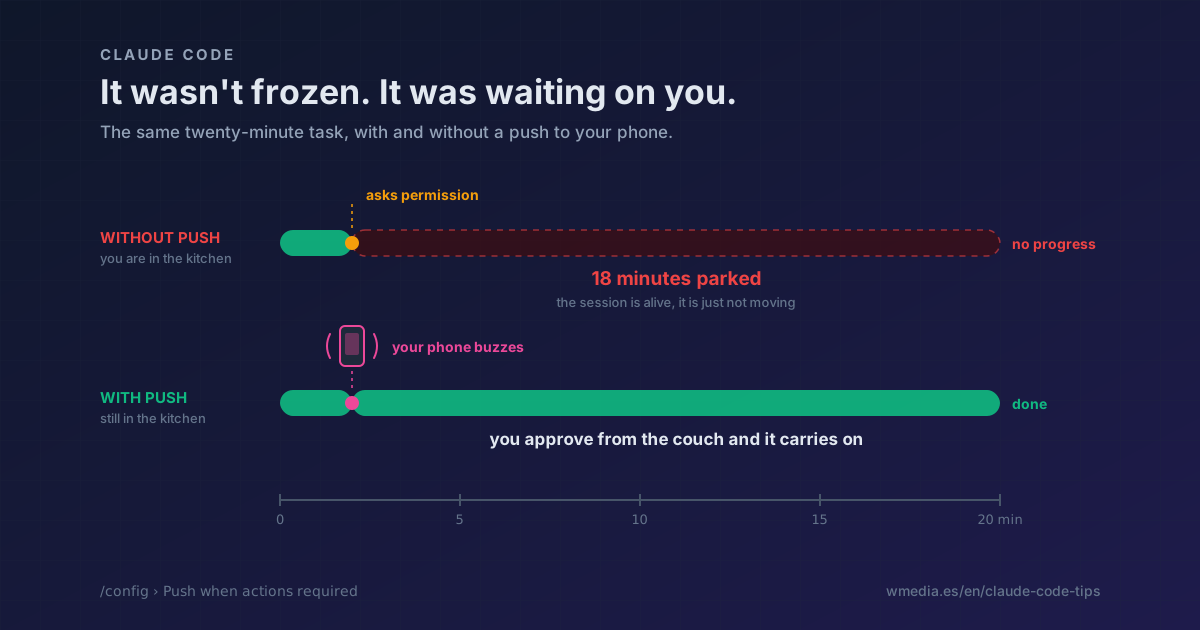
You kick off a long job and go make coffee. Twenty minutes later the session sits exactly where you left it.
Nothing crashed. Two minutes in it asked permission to run something, and it has been parked on that prompt ever since, waiting for somebody to say yes. Eighteen minutes of a live session going nowhere, because you were in the kitchen.
A sound when it finishes does not cover this. It plays on the machine you just walked away from, and only once the work is over, which is the moment it matters least.
Two conditions, not one
Claude Code knows how to reach your phone. It takes two things, and the second one is the one people skip:
Both push toggles. They ship off. In the /config source both values read ?? false, so nobody ends up with them on by accident.
A live Remote Control session. The push rides that channel. No connection, no alert, however keen your toggles are. And Remote Control only comes up when you ask for it, unless you say otherwise.
That is the quiet failure: you flip the toggles once, forget about them, and the alerts only reach you on the days you remembered to run /rc. I ran that half-configured setup for months.
Setting it up once
1. The app, on the same account
Install the Claude app for iOS or Android, sign in with the same account and organization you use in the terminal, and accept the notification prompt from the OS. Mismatched accounts have nothing to pair.
2. Auto-connect, so it stops depending on your memory
In ~/.claude/settings.json:
{
  "remoteControlAtStartup": true
}
Every interactive session you open becomes reachable from your phone without a thought. The same switch lives in /config as Enable Remote Control for all sessions, with three values: true, false and default.
One precedence detail worth knowing: in a project's .claude/settings.json or .claude/settings.local.json, a false is honored and kills auto-connect there, but a true is ignored. A repo you clone cannot switch Remote Control on for everyone who opens it.
3. The two toggles
/config, notifications block:
Push when actions required     false   →   true
Push when Claude decides       false   →   true
They are not the same switch, and it pays to know which one you are turning on:
Push when actions requiredis the one that solves the coffee scene. It covers permission prompts and questions, everything that leaves the session stalled on you.Push when Claude decidesis the proactive one. It fires when a long task wraps up, and the model makes that call.
If /config reads No mobile registered, open the app on your phone so it refreshes its push token. The warning clears the next time Remote Control connects.
Who decides when it buzzes
With Push when Claude decides, Claude does. There is no per-event configuration beyond those two switches: it typically sends one when a long task finishes or when it needs a decision from you to keep going.
What you can do is ask for one in the prompt itself:
ping my phone when the tests finish
That works as an instruction, not as configuration. It applies to the task you are launching right now.
Keeping it quiet while you are at the machine
A buzz on every reply would be unbearable, and the design accounts for it: Claude Code skips the push while you are typing in the connected terminal or focused on it.
That covers the obvious case, not the one where you are at the same machine with another window in front. Since v2.1.181 you can widen it with a marker file:
{
  "env": {
    "CLAUDE_CLIENT_PRESENCE_FILE": "/tmp/claude-presence"
  }
}
While that file exists, no push goes out. The idea is to let something that actually knows create it: a screen-lock listener that writes the file on unlock and deletes it on lock.
When nothing arrives
| Symptom | Usual cause |
|---|---|
No mobile registered in /config |
The phone never registered its token. Open the app |
| Late or missing on iOS | Focus modes and notification summaries. Check Settings › Notifications › Claude |
| Late on Android | Aggressive battery optimization. Exempt the Claude app in system settings |
The toggles are not in /config |
Those rows are conditional, they do not always render. Run through the requirements below before hunting elsewhere |
Reference
| Setting | Where | Default | What it does |
|---|---|---|---|
remoteControlAtStartup |
settings.json or /config |
default |
Connects Remote Control on every interactive session |
Push when actions required |
/config |
false |
Push on permission prompts and questions |
Push when Claude decides |
/config |
false |
Proactive push when the model judges it useful |
CLAUDE_CLIENT_PRESENCE_FILE |
settings.json |
unset | Mutes push while that file exists |
Requirements
- Pro, Max, Team or Enterprise. API keys are not supported, and on Team and Enterprise an Owner has to enable Remote Control first.
- Not available on Amazon Bedrock, Google Cloud's Agent Platform or Microsoft Foundry.
- The terminal stays open: the process is still yours. If what you want is to shut the laptop, that is a different question.
One last note on the permissions toggle. If it fires too often, the notification is not your problem, your permissions are: look at auto mode before you switch the alert off. The goal is not a phone that interrupts you more. It is never again walking back to a session that stopped twenty minutes ago.
Official docs: Remote Control