TL;DR Something's off,
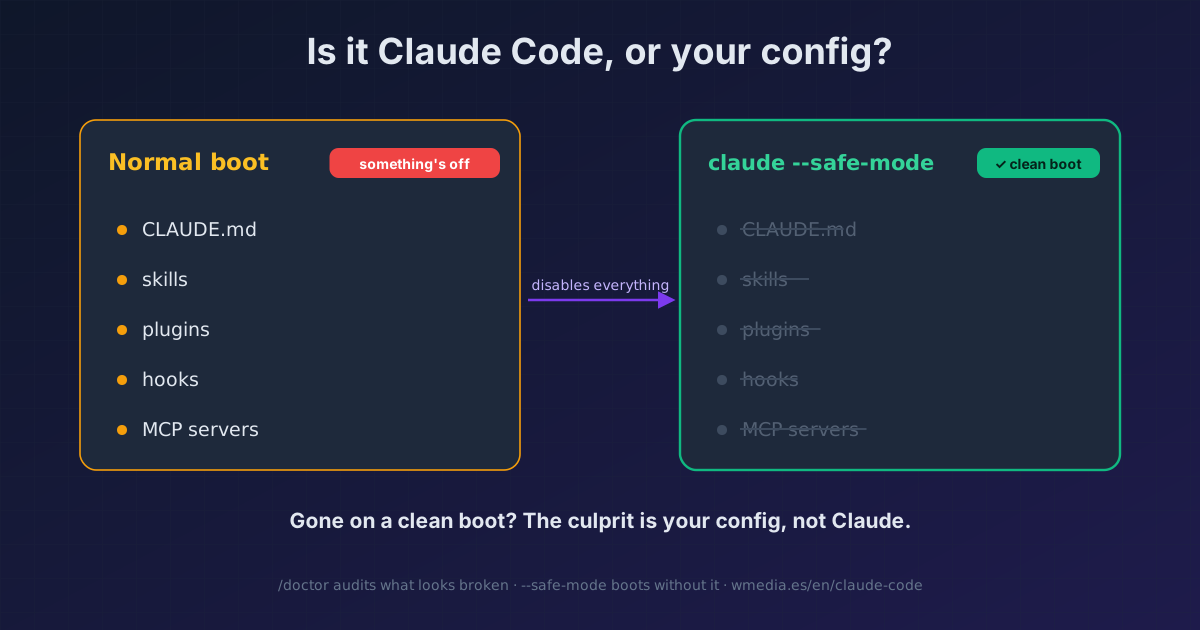
/doctorcomes back green, and you still don't know why. Boot withclaude --safe-mode: Claude Code loads with none of your customizations (CLAUDE.md, skills, plugins, hooks, MCP...). If the problem disappears, the culprit was your config, not Claude. It's Windows Safe Mode, but for Claude Code. Needs v2.1.169 or later.
When something breaks, the first move is /doctor: it audits your install, settings, MCP, and context. But /doctor tells you whether things look healthy, not whether you broke them. Sometimes it's all green and you're still stuck, with no answer to the only question that matters: is it Claude Code, or is it my setup?
--safe-mode answers that the only reliable way: by taking your setup out of the equation. It boots with the bare minimum, none of your extras, exactly like Windows Safe Mode or your phone's safe mode. If the problem is still there on a clean boot, it wasn't you.
The bisect, in three steps:
# 1. Reproduce the problem in a normal session.
# 2. Boot without your customizations:
claude --safe-mode
# 3. Gone? The culprit is in your config.
#    Still there? The problem is upstream (install, network, the model).
What it turns off (and what it doesn't)
With --safe-mode, no customization loads: CLAUDE.md, skills, plugins, hooks, MCP servers, your own commands and agents, output styles, workflows, themes, keybindings, status line, LSP servers, and auto-memory.
What does keep working: authentication, model selection, the built-in tools, and permissions. That's why you can actually work in safe mode. It's also the difference from --bare, which strips far more.
Managed settings policy still applies (policy-configured hooks, status line, and file-suggestion commands). What doesn't load is your own stuff.
Find the culprit
If the problem vanishes in safe mode, you know it's in your config. Now isolate which one: go back to a normal session and re-enable your customizations one at a time (or in blocks) until the bug returns. Whatever wakes it up is the culprit. Two-minute demo: break a hook on purpose, boot normally (it fails), boot with --safe-mode (clean), and you've got your suspect.
When to reach for it
1. Fable reroutes you to Opus and you don't know why. Fable 5 falls back to Opus when its classifier flags your request, sometimes on the first message (and more often since its July redeploy), from the context your CLAUDE.md or repo drags in. Boot with --safe-mode to see whether your customizations were the trigger.
2. Claude hangs or eats your RAM. Before you fight the process, rule out your config: if safe mode runs smooth, the problem is a plugin, an MCP, or a hook. If it's still heavy, the performance fixes are here.
3. Something broke after a change. You installed a plugin, touched a hook, added an MCP, and suddenly something fails. --safe-mode confirms in one boot whether that was it.
/doctor vs --safe-mode
They don't compete, they answer two different questions:
/doctor |
claude --safe-mode |
|
|---|---|---|
| What it does | Audits your setup, reports green/yellow/red | Boots without your setup |
| Question it answers | Is something misconfigured? | Is the problem my config or not? |
| When | First check, find the obvious break | When /doctor finds nothing and you're still stuck |
Reference
| Command | claude --safe-mode |
| Environment variable | CLAUDE_CODE_SAFE_MODE (set by the flag) |
| Minimum version | Claude Code v2.1.169 |
| Turns off | All your customizations (CLAUDE.md, skills, plugins, hooks, MCP, commands, agents, output styles, workflows, themes, keybindings, status line, LSP, auto-memory) |
| Keeps | Auth, model, built-in tools, permissions |
| Scope | That session only |
Official docs: CLI reference · Troubleshooting · Debug your configuration
Requirements
Claude Code v2.1.169 or later (claude update if you're behind).