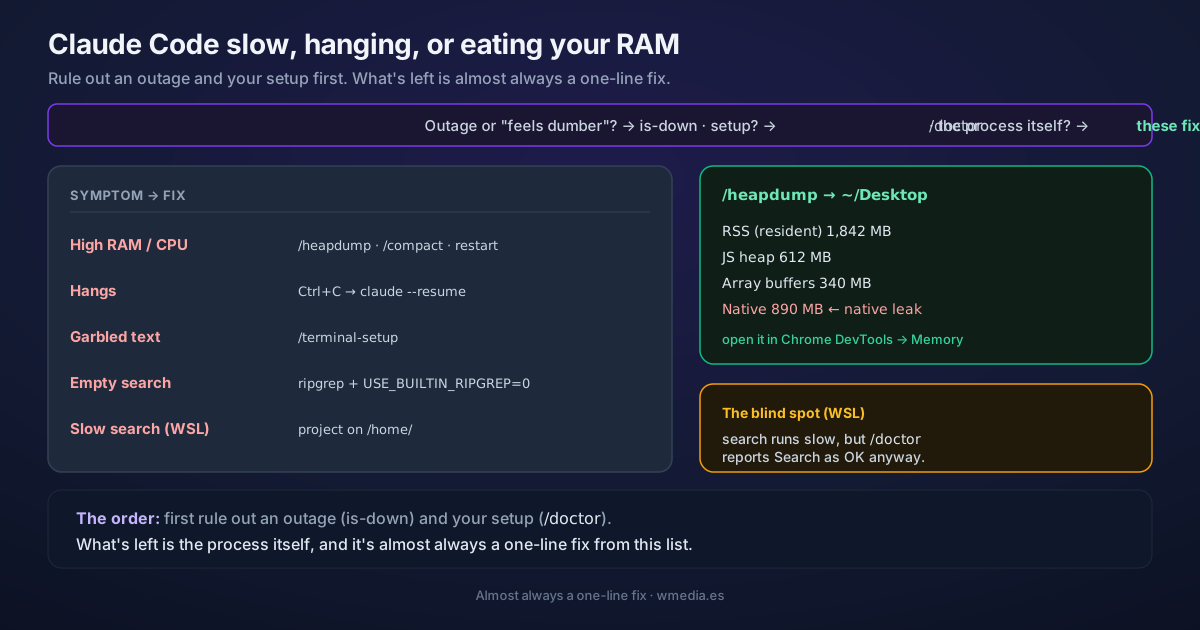
TL;DR Before you fight it: is it an outage or "Claude feels dumber"? That's a different diagnosis. Run
/doctorfirst. If it's neither and it's Claude Code itself (CPU/RAM spiking, hanging, stuck or frozen mid-task, garbled terminal text, search not finding files), each symptom has its own fix:/heapdumpto see the memory,Ctrl+C+claude --resumefor hangs,/terminal-setupfor garbled text, and installingripgrep+USE_BUILTIN_RIPGREP=0for broken search.
"Claude Code is slow" can be three different things, and each is fixed somewhere else. Rule out the two easy ones first: if you suspect an outage or that "the model feels dumber today," that's almost always context pressure, covered in is it down, or is it you?. And /doctor audits your setup in one pass. This tip is the third branch: when the problem is the process itself.
What it looks like
> /heapdump

Wrote heap snapshot + memory breakdown to ~/Desktop:
  claude-heap-<ts>.heapsnapshot
  claude-memory-<ts>.txt

  RSS (resident)          1,842 MB
  JS heap                   612 MB
  Array buffers             340 MB
  Native (unaccounted)      890 MB   ← if this dominates, the leak is native, not JS
The fixes, by symptom
1. CPU or RAM spiking
Claude Code is a Node process; with big codebases it balloons. In order:
/compactregularly to shrink the context.- Close and restart between major tasks (you don't lose the conversation:
claude --resume). - Add heavy build directories to your
.gitignore. - Rule out your config in one boot: safe mode loads without plugins, MCP, or hooks; if it runs smooth there, one of them is the culprit.
If memory stays high, /heapdump writes a snapshot and a memory breakdown to ~/Desktop (on Linux without a Desktop folder, to your home). The breakdown separates RSS, JS heap, array buffers, and unaccounted native memory, so you can tell whether the growth is in JS objects or native code. Open the .heapsnapshot in Chrome DevTools → Memory → Load to inspect retainers, and attach both files if you report the issue on GitHub.
2. Hangs or stops responding
# 1. Cancel the running operation
Ctrl+C

# 2. If it's still dead, close the terminal and restart.
#    You don't lose the conversation:
claude --resume
If instead of hanging it exits on its own with "Claude Code exited after an unrecoverable interface error", two of its ten causes are slow or loaded machines: ten causes, one update.
3. Garbled text in the editor's integrated terminal
If the VS Code, Cursor, or Devin terminal shows boxes, smears, or wrong glyphs, it's usually the GPU renderer. From inside Claude Code:
/terminal-setup
It sets terminal.integrated.gpuAcceleration to "off" for you.
4. Search isn't finding files
If Search, @file mentions, or skills find nothing, the ripgrep bundled with Claude Code doesn't run on your system. Install the system one and tell it to use it:
brew install ripgrep      # macOS (apt / pacman / winget elsewhere)
export USE_BUILTIN_RIPGREP=0
5. Slow or incomplete search on WSL
Crossing between the Windows and Linux filesystems penalizes reads, so on WSL search returns fewer results than expected. Be specific ("find the JWT validation in the auth package"), or move the project onto the Linux FS (/home/). The detail that matters: /doctor will report Search as OK anyway. It's the one failure on this list it doesn't catch.
Reference
| Symptom | Fix |
|---|---|
| High RAM/CPU | /compact, restart between tasks, build dirs in .gitignore, /heapdump to diagnose |
| Hang | Ctrl+C; if not, restart and claude --resume |
| Garbled text in editor terminal | /terminal-setup (turns off the terminal's GPU) |
| Search not finding files | Install system ripgrep + USE_BUILTIN_RIPGREP=0 |
| Slow/incomplete search on WSL | Specific searches or project on /home/ (and note: /doctor calls it OK) |
Is the "slow" actually a turn reprocessing from scratch? That's the cache, not the process: covered in prompt caching.
Official docs: Troubleshooting