Giving up your local environment sounds intimidating. Your editor, your terminal, your dotfiles — there's comfort in having everything within reach. But for routine tasks — a review, a security scan, a quick exploration — you don't need all of that. Claude Code on the web runs those tasks on Anthropic-managed cloud infrastructure, directly from claude.ai/code. Each session gets an isolated VM with your repo cloned, a pre-configured environment, and limited network access by default. Your terminal stays free. And you can run several tasks in parallel.
TL;DR Visit claude.ai/code, connect GitHub, describe the task. Claude clones, executes, tests, and prepares a PR. Also available from the terminal with
claude --cloud "task". Requires Pro, Max, Team, or Enterprise.
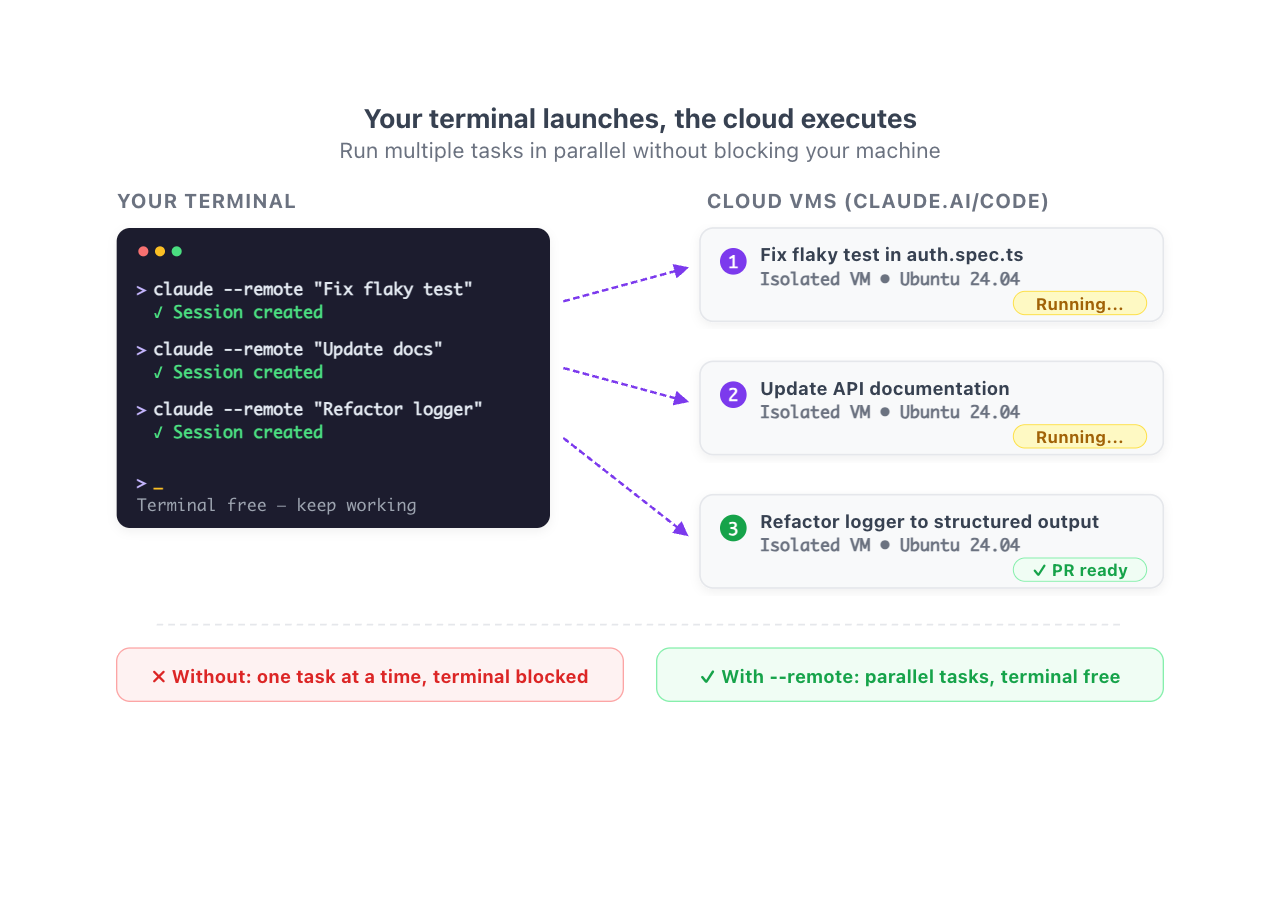
Result:
> claude --cloud "Fix the flaky test in auth.spec.ts"
# Session created on claude.ai/code

> claude --cloud "Update the API documentation"
# Second session in parallel

> claude --cloud "Refactor the logger to use structured output"
# Third session in parallel
How to use it
1. From the browser
- Go to claude.ai/code
- Connect your GitHub account and install the Claude GitHub App
- Select an environment (or use the default)
- Describe the task in natural language
- Review changes in diff view, iterate with comments, and create a PR
2. From the terminal
# Initial setup (uses gh CLI credentials)
/web-setup

# Launch a task in the cloud
claude --cloud "Add input validation to the signup form"

# Launch several in parallel
claude --cloud "Fix auth bug"
claude --cloud "Add pagination to /api/users"
Each --cloud creates its own cloud session. Monitor all of them with /tasks. If you see --remote in older tutorials, that's the old spelling: it still works as a deprecated alias for --cloud. And since everything runs on Anthropic's VM, you can close your laptop without the session noticing: what survives closing the lid, case by case.
3. Pull a session into your terminal (teleport)
# Interactive picker for web sessions
claude --teleport

# Specific session
claude --teleport <session-id>

# From inside Claude Code
/teleport
Teleport verifies you're in the correct repository, fetches the branch, and loads the full conversation history.
If /teleport isn't showing up in your menu, or you're not sure how it differs from --remote-control, I break it down in teleport and the two commands that look like it.
Reference
| Command / Action | What it does |
|---|---|
claude --cloud "task" |
Launch a cloud session from the terminal |
claude --remote "task" |
Deprecated alias for --cloud. Still works |
/web-setup |
Connect GitHub using gh CLI credentials |
claude --teleport |
Pull a web session into your local terminal |
/teleport or /tp |
Same, from inside Claude Code |
/tasks |
List background sessions |
| Detail | Value |
|---|---|
| VM | Isolated per session, managed by Anthropic |
| Base image | Ubuntu 24.04 with Node, Python, Go, Rust, Java, Ruby, PHP, PostgreSQL 16, Redis 7 |
| Network | Limited by default (package registries + GitHub). Configurable. |
| Parallel sessions | No hard limit; they share your plan's rate limits |
| Code platforms | GitHub only (GitHub Enterprise Server for Team/Enterprise) |
| Plans | Pro, Max, Team, Enterprise |
If you want to open a cloud session already filled from a ticket or a doc, use URL parameters on claude.ai/code: prompt, repo and environment in the link.
Related: Control Claude Code from Your Phone · Worktrees for parallel tasks · Auto-fix PRs with /autofix-pr
If the bug context already lives in a Slack thread, you can also hand it off with @Claude in Slack.
Official docs: Claude Code on the web
Requirements
- Pro, Max, Team, or Enterprise subscription (API keys not supported)
- GitHub account connected
ghCLI installed and authenticated (for terminal setup; optional from the browser)