TL;DR
/ultraplanis gone. Anthropic pulled the research preview in v2.1.224, command and keyword alike. What it did is now split across two things that are still here: plan mode in your terminal for thinking before anything gets touched, and Claude Code on the web if what you wanted was the work running off your machine.
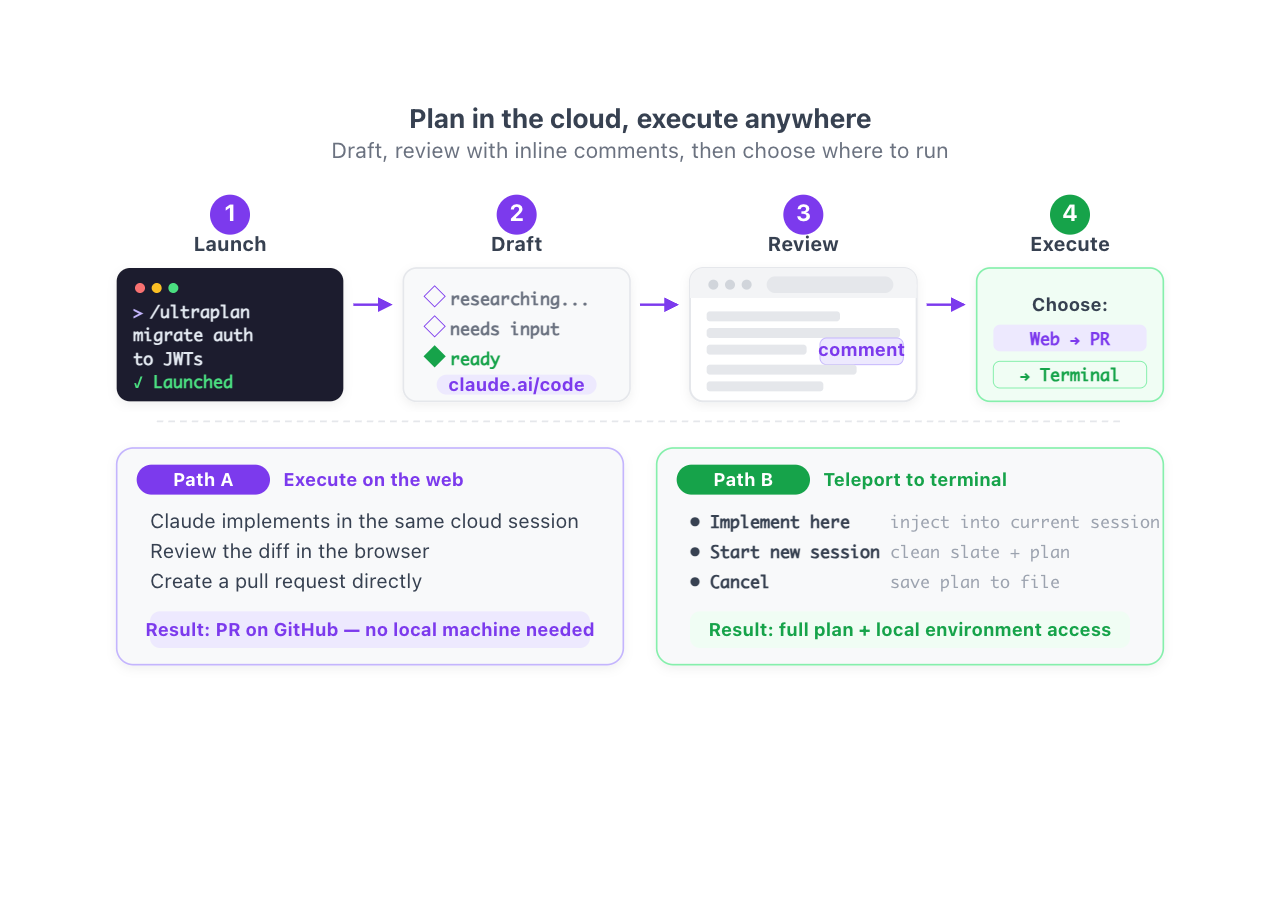
If you landed here looking for the command, the short answer is that you are not missing a setting: they took it out.
What happened, and when
Ultraplan shipped as a research preview in April 2026 and was removed in the week of August 3 to 7, across v2.1.220 through v2.1.224. Both doors closed at once: the /ultraplan command and the bare ultraplan keyword in a prompt.
One detail throws people off, so it is worth knowing: the code is still inside the binary. Open a recent Claude Code, go looking, and the strings are there. But the command hangs off a server flag that ships switched off, so for you it does not exist. This is not your install, not your plan, and there is no environment variable that brings it back.
What to use instead
| If you used ultraplan to… | Today |
|---|---|
| Think the plan through before Claude touches code | Plan mode, in your own terminal |
| Get the work running off your machine | Claude Code on the web |
| Pull something back local that started in the cloud | Teleport, still alive |
| Review a long plan properly, outside the scrollback | Plan mode plus Ctrl+G, which opens the plan in your editor |
What genuinely died is the browser review interface: inline comments on the plan, reactions, the section sidebar. Nothing replaces that today. Everything else, plan mode and the web cover between them.
For the record
Ultraplan delegated planning to a Claude Code on the web session running in plan mode. Your terminal stayed free while Claude researched the repository, and when it finished you got a link to review the plan in your browser. From there you picked: execute in the cloud and come out with a PR, or teleport the plan back to your terminal.
It was a good idea. It lasted four months.
If you are rebuilding your parallel workflow, the current map is in Claude Code on the web and in teleport versus remote control.
Official docs: Ultraplan